
A teaser ad for music is a short paid clip that shows a small piece of an unreleased song and points people to a release date, a pre-save or a stream link. It works when the clip leaves a gap, the audio sounds finished, and the ad goes to the right listeners. Most independent artists lose money on teasers for one of two reasons: the audio isn’t release-ready, or nobody checks which listeners the ad reaches. We fix both for artists, and this guide walks you through the whole routine.
TL;DR
- A teaser should open a door, not play the whole room: a hook, a line or a moment, plus a date or next step.
- Judge teasers by saves, shares, comments, follows and link taps, not by views alone.
- Start teasers two to four weeks before release, and change the clip each time instead of repeating one.
- Budgets of $5 to $10 a day are enough to learn what works. Measure with a pixel on your link page so you can see clicks.
- Finished mixing and mastering come first, because the first five seconds of sound are what people judge.
Table of Contents
- What a teaser ad is, and what it should do
- Choose the excerpt before you build the ad
- Why the audio has to be finished first
- Where teaser ads run
- Targeting and budget
- When to run teasers
- How to tell whether a teaser is working
- Check your rights before you post
- What we do for a teaser campaign
- Our perspective
- FAQ
- Sources
What a teaser ad is, and what it should do
A release teaser is short pre-release content built to create interest without giving the release away. It can be a clip, a visual detail, a lyric fragment or a rehearsal moment. From The Stem makes the point that it should create a specific question or feeling, and give that curiosity a release date or a next step.
A teaser ad is the same clip with money behind it. Instead of hoping your followers see it, you pay to put it in front of strangers who are likely to like your sound.
Two lengths are worth knowing. Michigan Interdenominational’s music school notes that promos are typically 5 to 15 seconds, while teaser videos usually run 1 to 1.5 minutes. For paid ads on Instagram and Facebook, short is the practical choice, because the viewer is mid-scroll and decides in the first seconds.
So a teaser ad has three jobs:
- Stop the scroll with the strongest few seconds of the song.
- Make one promise: this song is coming, and here is when.
- Give the viewer one thing to do: pre-save, follow, or tap through.
Choose the excerpt before you build the ad
The excerpt is the ad. Everything else is packaging.
Pick the moment people would repeat to a friend. A simple test: play the finished song for three people who haven’t heard it, then ask each what they remember an hour later. That line or sound is your teaser candidate. Keep the payoff back, whether it’s the last chorus, the key change or the drop, so the teaser makes a promise the full song keeps.
Some practical rules for the clip itself:
- Start on the hook. No slow intro, no logo animation. The first three seconds carry the ad.
- Use vertical video. The 9:16 shape fills a phone screen in Reels and Stories.
- Put lyrics on screen. Many people scroll with the sound off, and words give them a reason to turn it on.
- Keep key text inside the safe area. Platform buttons and captions cover the top and bottom of vertical video, so leave room.
- Show the date. A teaser without a release date or next step sends curiosity nowhere.
If you want to make several versions, cut one clip per song section: verse, pre-chorus, chorus, bridge, outro. Keep the background identical so the only thing that changes is the music. That gives you a clean test of which section people respond to.
Why the audio has to be finished first
A teaser is only a few seconds long. There is nowhere to hide a muddy vocal, a harsh top end or a track that sounds quiet next to everything else in the feed.
This is the step that gets skipped most. Artists cut a teaser from a rough mix, run the ad, and then wonder why people didn’t save the song. Then they replace the audio with the final master and the ad starts from zero, with the learning from the first test wasted.
Our approach is to treat the teaser as the first public use of the final master. Mixing and mastering are done by experienced engineers using real analog gear, and our work carries Apple Digital Masters certification. If you only need the last polish on a finished mix, mastering is $50 per track. If the song still needs balancing, mixing comes first, and you can request a quote through our mix quote page.
Where teaser ads run
Instagram and Facebook
Meta’s two platforms are where most independent artists run teasers, because you can target by interest, location and similar artists, and you can send people straight to a pre-save or streaming link. Our guides on Instagram ads for music and Instagram Story ads cover setup and creative in detail. If you are choosing between video platforms, see YouTube ads versus Facebook ads for musicians.
Spotify Marquee
After release, Spotify has its own format. Marquee is a full-screen sponsored recommendation of a new release shown to Free and Premium listeners. Spotify’s documentation says budgets start at $100 when booked through Spotify for Artists, pricing is per click, and a campaign runs until the budget is spent or 10 days after it starts. It can begin any time in the first three weeks after release.
Marquee is a post-release tool, so think of it as the next stage after your teasers, not a substitute for them.
Targeting and budget
For a first campaign, keep it simple. Hypebot’s guide to Meta ads for music describes three audience types:
- Demographic: age, location, language.
- Interest-based: similar artists, genres and cultural references.
- Custom or lookalike: built from a list of at least 100 emails, ideally 500 or more.
The same guide notes that Meta campaigns can technically run on as little as $1 a day, though $5 to $10 a day gives you enough data to learn something.
Here is a worked example. Say you run $7 a day for 14 days ahead of a release. That is $98 total. If you split it across two teaser clips, each gets about $49 and about a week of delivery. That is enough to see which clip earns more link taps and saves, and to put the winner behind the final week and release day.
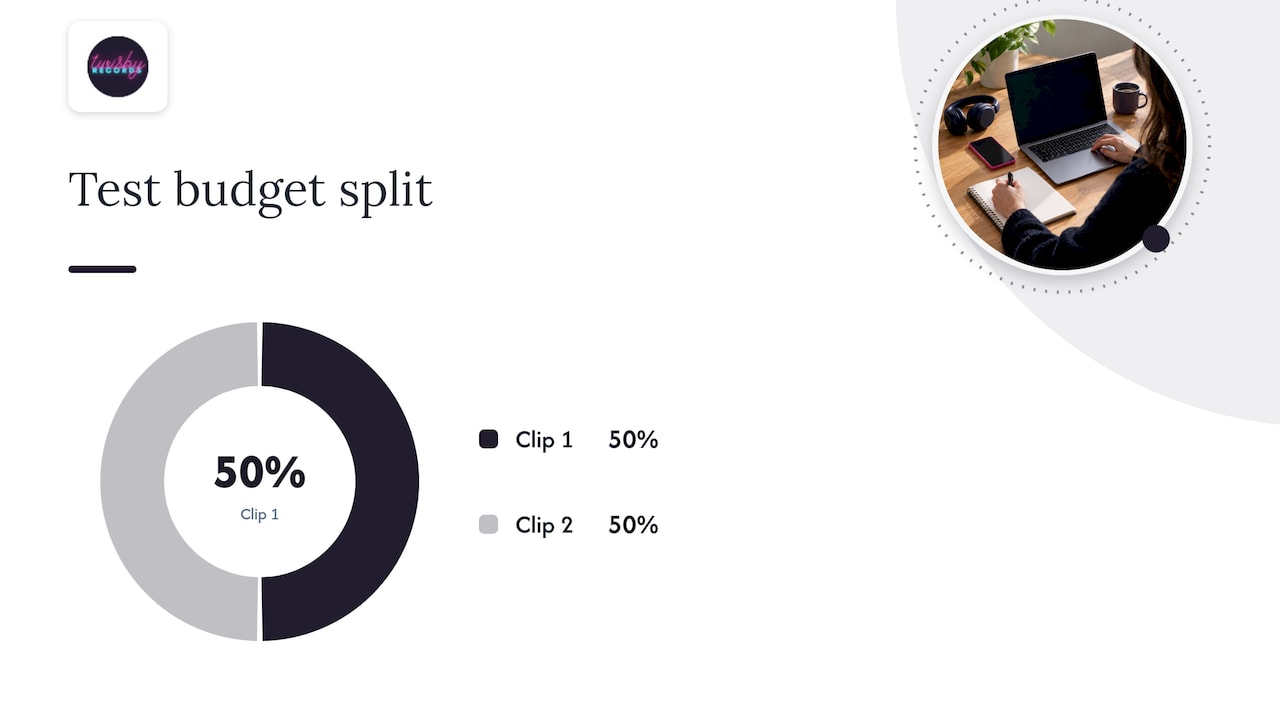
Small budgets reward discipline: one goal, one or two clips, one link. Do not spread $98 across five audiences.
When to run teasers
A standard release campaign typically runs 4 to 8 weeks, according to InterSpace Distribution’s help centre. That covers a pre-release phase two to four weeks before launch, including teaser content and pre-save activation, then one to four weeks after. Shorter one- to two-week campaigns are possible on a limited budget.
A workable schedule for a single:
| When | Teaser | Goal |
|---|---|---|
| 2 to 3 weeks before | Hook clip with the release date | Pre-saves, follows |
| 1 week before | A different section of the song | Saves, shares, comments |
| 1 to 2 days before | Countdown clip | Reminders, pre-saves |
| Release day | “Out now” clip | Streams |
| Week after | Two or three fresh clips | Keep the song in feeds |
Each teaser should add a new detail. If the same clip runs for three weeks, people stop seeing it and the algorithm shows it to fewer of them. Our Spotify pre-save campaign guide shows how to set up the destination for those early taps.
How to tell whether a teaser is working
Views are the easiest number and the least useful. A teaser is meant to start something, so measure the actions that follow: saves, shares, comments, profile visits, follows and link taps.
Three habits make the numbers meaningful:
- Track the click all the way to the streaming service. A Meta pixel on your link page lets the ad platform see who tapped through. Our guide to tracking clickouts with Meta Pixel and CAPI explains the setup.
- Give each test time. A couple of days of data is noise. Wait for at least several days, ideally a full week, before you declare a winner.
- Compare like with like. If you change the clip, the audience and the budget at once, you learn nothing. Our guide to Facebook ads reporting for musicians shows what a clear two-week report looks like.
It also helps to know what normal engagement looks like on paid social. These engagement rate benchmarks give context for reading your own results.
After release, Spotify reports that listeners who see a Marquee are more than twice as likely to save a track or add it to a personal playlist than listeners who didn’t see one. Spotify also reports that people who see a Marquee and stream the release are three times more likely to stream the artist’s other releases. Those are Spotify’s own figures for its format, and they show why the saves and playlist adds are the numbers to watch.
If you are still weighing whether paid ads pay off at all, our piece on whether Facebook ads work for musicians answers it directly.
Check your rights before you post
This is the part nobody enjoys, and it is the part that can sink a campaign. Before a track appears in a teaser, settle who owns what.
Billboard’s reporting on teaser campaigns notes that songwriter splits and producer fees should be agreed before you tease, since collaborators can go uncompensated if a teaser fails to catch fire. It also reports that first-time song uploads on TikTok require a first-use mechanical license.
A short checklist:
- Written agreement on songwriter splits.
- Producer fees and credits confirmed.
- Any sample cleared, if the teaser clip contains one.
- The ad platform’s music rules checked for the format you are using.
If you are running music inside Meta ads, read our legal licensing guide for music in Instagram ads before you publish.
What we do for a teaser campaign
We run targeted Facebook and Instagram ad campaigns for music releases. That includes audience research, custom landing pages, reporting and optimization aimed at streaming growth. We also handle the sound: mixing, mastering and remote vocal production.
Our advertising packages are priced openly. Standard packages are $25 per month, with a 20% per month fee on adspend, and there is a one-time onboarding fee of $99. Details are on our advertising page. If you want the teaser audio finished first, start with mastering or request a mix quote.
If you want to see how a full campaign reads from ads to streams, our write-up on tracked music video ads for indie artists shows it.
Our perspective
Most teaser mistakes start before the ad is built. The song isn’t finished, the clip is picked because it’s convenient rather than memorable, and nobody has set up a way to see what happened after the tap.
We built our work around fixing that order. The sound comes first, because a teaser is a few seconds of audio and it has to hold up on a phone speaker. The audience comes second, because a good clip shown to the wrong people is wasted money. The reporting comes last, because it tells you what to do with the next release.
That is why we put mixing, mastering and advertising under one roof. The engineer who knows what the hook sounds like is the right person to talk to about which seconds belong in the ad. Our approach is personalized and collaborative, and we focus on quick turnaround and ongoing artist support rather than off-the-shelf or AI-driven solutions.
If you are releasing music on your own, you don’t need a big budget. You need a finished song, a clear clip and a way to measure. We can help with all three.
Kreg
FAQ
What is a music teaser?
A music teaser is a short pre-release clip that shows a little of a new song, such as a sound, a line or an image, and leaves a gap so people want to hear the rest. It repeats the release date so the curiosity has somewhere to go.
How long should a teaser ad be?
For Instagram and Facebook ads, aim for short vertical clips of about 6 to 30 seconds that start on the hook right away. Longer teaser videos of around a minute can work for your own channels, but a paid ad has only a moment to stop the scroll.
How much should I spend on teaser ads?
Meta lets you run a campaign for as little as $1 a day, and Hypebot suggests $5 to $10 a day to gather useful data. For a single release, a two-week test at that level is a sensible starting point, and you can raise the budget once you know which clip wins.
When should I start running teasers?
Begin two to four weeks before release, with a different clip each week and a countdown in the last day or two. Keep going for a week or two after release with fresh clips so the song stays visible.
Sources
- What Is a Release Teaser? (From The Stem)
- Why Video Makes a Profitable Music Marketing Strategy (Michigan Interdenominational)
- Getting Started with Marquee (Spotify for Artists)
- Guide to Meta Ads to Market Music on Facebook and Instagram (Hypebot)
- How Long Does a Marketing Campaign Run? (InterSpace Distribution Help Centre)
- TikTok Teaser Campaigns Proving Divisive (Billboard)
- Engagement Rate Benchmarks for Influencer Campaigns in 2026