


Meta Ads Reporting gives musicians a live readout of who saw an ad, who clicked, and (if tracking is set up right) who took a real action, like streaming a song or joining an email list. The single move that makes those reports useful is installing the Meta Pixel and Conversion API (CAPI) on a smart link, then setting a conversion event as your campaign goal. Do that first. Everything else in this guide, from reading metrics to building custom reports, only matters once that foundation is in place.
TL;DR:
- Campaigns should run at least two weeks before drawing conclusions, as Meta’s algorithm needs time to optimize toward meaningful conversion events.
- Setting up Pixel, CAPI, and smart links before launching is crucial for accurate tracking of downstream actions like streams or follows.
- Focusing on conversion metrics such as pre-saves and email signups provides a clearer indicator of music success than raw link clicks alone.
- Custom reports and breakdowns by placement, age, and gender help identify the audiences and creative formats that actually convert.
- Regular but not daily monitoring of key metrics like CTR and frequency prevents wasted spend and allows early problem detection.
Table of Contents
- Where to Find Facebook Ads Reporting Music Data in Ads Manager
- Which Facebook Ad Metrics Actually Predict Music Success?
- How to Set Up Pixel, CAPI, and Smart Links for Real Tracking
- Custom Columns and Breakdowns for Music Ad Reports
- Why Your Reports Might Be Lying to You (and How to Fix It)
- A Reporting Routine You Can Actually Stick To
- What 35 Years in the Studio Taught Me About Reading Ad Reports
- How Twisby Records Handles Tracking So You Don’t Have To
- Sources
- FAQ
Where to Find Facebook Ads Reporting Music Data in Ads Manager
Open Ads Manager and click the Ads Reporting tab, separate from the main campaign dashboard you use to build ads. This is where the real analysis happens.
You’ll see two views: a table view (rows of numbers you can sort and filter) and a chart view (trend lines over time). Table view is where you’ll live most days. Chart view is better for spotting whether a metric like frequency is climbing dangerously over a two-week run.
Reports work at three levels, and each answers a different question:
- Campaign level tells you if the overall objective (streams, follows, ticket sales) is working.
- Ad set level shows which audience or placement is driving results, useful when you’re testing fans in different age brackets or countries.
- Ad level reveals which specific creative, a lyric video versus a static cover image, is actually converting.
Meta Ads Reporting lets you create, customize, export, share, and schedule these reports, with support for custom columns, breakdowns, and saved views so you’re not rebuilding the same report every Monday. That last part matters more than it sounds. Musicians running ads part time between gigs and day jobs don’t have time to reconfigure a dashboard every week, so save the view once and reuse it.
Which Facebook Ad Metrics Actually Predict Music Success?
Some numbers in Ads Manager look great and mean almost nothing. Others look boring and tell you exactly whether your release is landing. Here’s the difference.
The metrics worth watching:
- Reach and impressions — how many people saw the ad, and how many times. Useful for context, not for judging success alone.
- Frequency — average views per person. Above 3 to 4 within a short window, fatigue is setting in and it’s time to refresh creative.
- CTR (click-through rate) — the percentage of viewers who clicked. A healthy CTR for music ads generally sits meaningfully above 1%, though ranges vary widely by genre and audience, as detailed in Twisby Records’ music ads benchmarks.
- CPC, CPL, CPR, CPV — cost per click, per lead, per result, per view. These tell you what each action costs, not whether that action mattered.
- Conversion events and ROAS — the metrics that actually connect ad spend to listener behavior.
Statistic Callout: Ads Manager recommends running campaigns for at least two weeks before judging performance, since Meta’s algorithm needs time and volume to optimize toward your stated goal.
The trap most independent artists fall into is treating clicks as the finish line. A high CTR with no downstream conversion tracking tells you people are curious, not that they’re becoming listeners. Set your results metric to something further down the funnel: pre-save completions, email signups, or profile follows, not raw link clicks.
How to Set Up Pixel, CAPI, and Smart Links for Real Tracking
You can’t report on what you can’t measure, and that’s the whole problem with sending Facebook traffic straight to Spotify or Apple Music. Once a fan leaves Facebook’s ecosystem for a streaming app, the Pixel loses visibility. That’s why the setup sequence below exists: it inserts a measurable stop between the ad and the stream.
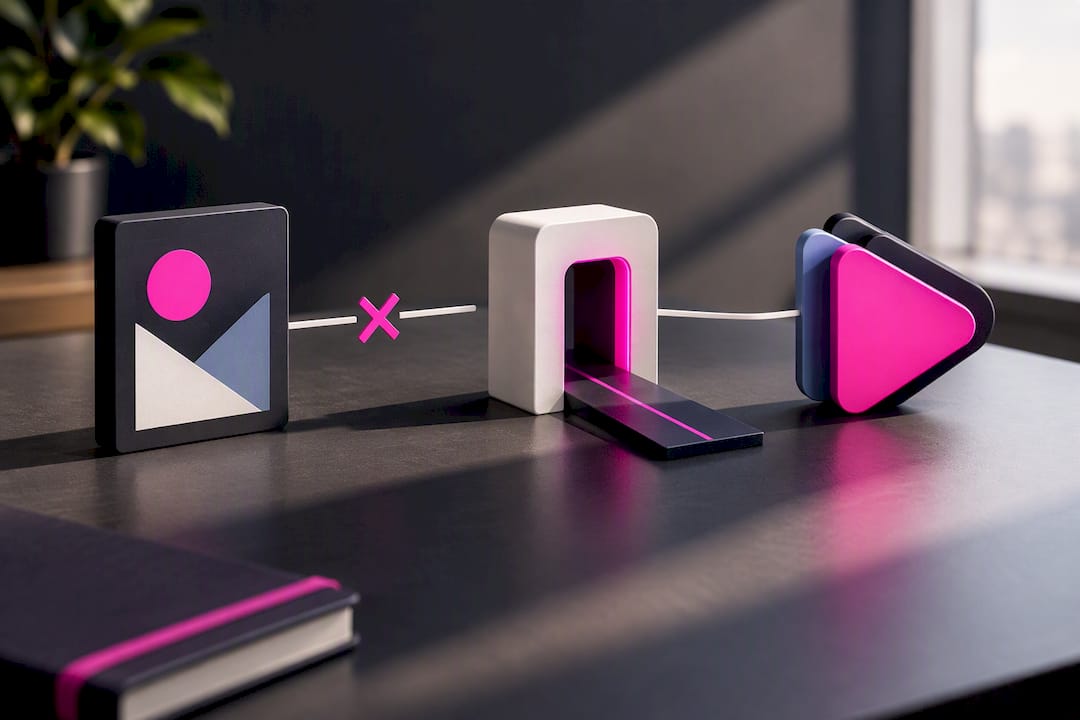
Meta Ads for Music research confirms that Pixel and CAPI tracking paired with a clean landing flow outperforms sending traffic directly to a DSP, because Meta’s system can only optimize toward events it can actually see.
Here’s the sequence:
- Create a Meta Business Suite account if you don’t already have one, and confirm you have admin access to the ad account and any linked page.
- Generate a Meta Pixel inside Events Manager. This is a small tracking snippet, not a physical device.
- Install the Pixel on your landing page or smart link. Most smart link platforms support custom Pixel injection, even if you don’t run a full website.
- Set up Conversion API (CAPI) as a server-side backup. Browser-based Pixel tracking gets blocked by ad blockers and privacy settings; CAPI sends the same event data directly from your server, so you capture conversions the Pixel alone would miss.
- Configure your conversion events (pre-save, email capture, follow click) and select one as your campaign’s optimization goal.
- Test everything in Events Manager using the Test Events tool before you spend a dollar on ads.
If you don’t have a website, you’re not stuck. Several smart link providers let Pixel and CAPI fire from their hosted pages, so a full custom site isn’t a prerequisite for real tracking. The principle matters more than the vendor: find a link tool that supports both Pixel and server-side events.
Pro Tip: Before launching, send yourself a test click through the smart link and watch Events Manager in real time. If the event doesn’t show up within a few minutes, fix it before spending anything, not after.
Custom Columns and Breakdowns for Music Ad Reports
A default Ads Manager report is built for e-commerce, not music. You need to reshape it.
Start by adding custom columns that map to your actual funnel: ad spend, link clicks, landing page views, and your chosen conversion event (pre-save or follow). Lining these up in one row lets you see exactly where people drop off between the ad and the action you care about.
Then layer in breakdowns, which split a single report into segments:
- Placement — Reels and Stories often outperform feed placement for music discovery, since breakdowns by placement frequently reveal vertical video winning over feed content.
- Age and gender — useful for confirming your ad is actually reaching the demographic your streaming data says is already engaged.
- Platform — Facebook versus Instagram often perform very differently for the same creative.
- Creative format — vertical video against static image or carousel.
Reviewing campaign data by placement and demographic layers is standard practice for finding which audiences convert into meaningful music actions, rather than guessing based on overall averages.
Once a view is configured the way you want, save it. Ads Manager lets you name and store custom report templates, and you can schedule automatic exports (weekly CSVs sent to your inbox) so you’re not logging in manually every time. If you work with a manager or a mix engineer who’s helping shape your release strategy, share that saved report directly instead of screenshotting numbers into a group chat.
Cross-reference whatever you export with your Spotify for Artists or Apple Music for Artists dashboard. A spike in ad-driven landing page visits that doesn’t show up as a matching bump in playlist adds or streams the same week tells you the funnel is leaking somewhere between the click and the stream.
Why Your Reports Might Be Lying to You (and How to Fix It)
The most common mistake in music advertising isn’t a bad song or a bad photo. It’s picking the wrong campaign objective.
Meta gives you a choice between optimizing for Traffic or for Conversions. Traffic optimizes for the cheapest possible click, which means Meta’s algorithm will happily serve your ad to people who click everything and convert on nothing. Choosing a conversion objective forces the algorithm to hunt for people who take your specified action, which is why conversion-focused campaigns consistently outperform Traffic campaigns for musician outcomes.
There’s also a hard ceiling on what any Meta report can see. The Pixel tracks activity up to the point a fan leaves your smart link. What happens after they land on Spotify or Apple Music, whether they actually press play, isn’t visible in Ads Manager at all. That’s why cross-checking against your DSP’s own dashboard isn’t optional. It’s the only way to close the loop.
When a report shows a problem, match the fix to the signal:
- CTR under 1% after three days of real spend → refresh the creative. Don’t wait longer hoping it improves.
- Rising frequency (above 3 to 4) with flat conversions → the audience is fatigued; expand it or pause.
- Mixed-country audiences skewing cheap → separate targeting by country so a low cost-per-click market isn’t masking poor performance in your priority country.
- Spend too thin to exit the learning phase → either raise the budget or narrow the audience so the campaign can log enough events to optimize.
Pro Tip: Resist the urge to touch your campaign every day during the first week. Ads Manager treats major edits as a reset signal, which can knock a campaign back into the learning phase right when it’s starting to find its audience.
A Reporting Routine You Can Actually Stick To
Reporting doesn’t need to be a daily ritual. It needs to be consistent enough to catch problems before they burn your budget.
Weekly quick check (five minutes, five numbers): CTR, frequency, cost per result, conversion rate, and total spend. If frequency has jumped or CTR has dropped below 1%, that’s your flag to look closer.
Every 14 to 28 days, run a full review. Export the campaign, ad set, and ad-level data, then walk it against the breakdowns covered earlier: placement, demographics, creative type. This window lines up with the 7 to 14 day learning-phase minimum Meta recommends before judging any campaign fairly.
For exports, keep the column list consistent so it lines up cleanly with your streaming dashboards:
| Column | Why it matters |
|---|---|
| Date range | Aligns ad data with Spotify/Apple Music reporting windows |
| Ad/campaign ID | Matches specific creative to specific outcomes |
| Creative name | Identifies which version of the ad ran |
| Link clicks | Top of funnel volume |
| Conversion events | Pre-saves, follows, or email signups |
| Landing outcome | Whether the click resulted in a tracked action |
When sharing results with a manager or collaborator, skip the raw spreadsheet. A simple line like “CTR held at 1.4%, conversions doubled after switching to vertical video” communicates more than a screenshot ever will.
What 35 Years in the Studio Taught Me About Reading Ad Reports
Most reporting advice treats numbers like they exist in isolation. They don’t. A metric only means something next to the creative and audience that produced it.
At Twisby Records, the workflow we use with artists follows the same shape covered above: install Pixel and CAPI before spending a dollar, route clicks through a smart link instead of straight to a DSP, and set the campaign objective to a real conversion event instead of Traffic. That order matters. Skip a step and the report you get back is just noise dressed up as data.
With over 35 years combined experience in audio production and Apple Digital Masters certification behind our mastering work, we’ve watched plenty of artists chase clicks that never turned into fans. One pattern shows up constantly: a campaign with a strong CTR but a flat conversion line. Nine times out of ten, the fix isn’t the audience or the budget. It’s the creative. Swapping a static image for a short vertical clip of the hook has turned around more underperforming campaigns than any audience tweak we’ve tried.
Reports don’t lie, but they do reward whoever asks them the right question first.
— Kreg
How Twisby Records Handles Tracking So You Don’t Have To
Setting up Pixel events, CAPI, and a conversion-optimized campaign correctly takes real time, and most independent artists would rather spend that time writing songs. Twisby Records runs the entire tracking and reporting setup for you as part of its managed advertising services, which include Pixel and CAPI installation, custom landing pages, audience research, and ongoing performance reporting.
If your ad reports keep showing clicks that never turn into streams, the problem might not be the campaign at all. It might be the creative behind it. Twisby’s mastering services and mixing work are built to give your release the polish that keeps a listener’s thumb from scrolling past. Standard advertising packages run $25 per month plus a 20% adspend fee, with a one time $99 onboarding fee to get campaigns built and tracking installed correctly from day one. If you want a second set of ears on your mix before you spend another dollar on ads, request a mix quote and start from a stronger foundation.
Sources
- About Meta Ads Reporting | Meta Business Help Center
- How to report ad performance with Ads Manager | Shopify
- Musicians’ income and licensing basics | U.S. Copyright Office
FAQ
Can I Use Copyrighted Music in Facebook Ads?
Only if you hold or have cleared the rights to both the composition and the recording, as explained in Música en TikTok: cómo usar audio legalmente sin reclamaciones. Under U.S. copyright law, running music in an advertisement requires a synchronization license for the song itself and a separate master use license for the specific recording, and there’s no automatic right to use either one commercially. Even using your own released music in an ad can require clearing rights if a label or publisher controls part of the copyright, so check your agreements before running a campaign, as outlined in the U.S. Copyright Office’s licensing guidance.
Do You Need Permission to Use a Song in an Ad?
Yes. Advertising use isn’t covered by the same rules as personal or editorial use, and it requires direct permission from whoever holds the sync and master rights. If you wrote and recorded the track entirely yourself with no label or publisher involved, you likely control both rights already, but it’s worth confirming before you launch a paid campaign.
What Attribution Window Should I Use for Music Campaigns?
Most music campaigns work well with a 7-day click attribution window, since that captures the realistic gap between someone clicking an ad and actually opening Spotify or Apple Music later. Shorter windows can undercount real conversions, while longer windows risk crediting the ad for actions a fan would have taken anyway.
How Do I Compare Facebook Ads Data to Spotify for Artists?
Export your Meta conversion data (clicks, pre-saves, follows) by date range, then line it up against the same window in Spotify for Artists or Apple Music for Artists. A jump in ad-driven clicks that doesn’t show a matching bump in streams or playlist adds usually points to a landing page or creative problem, not an audience problem.
How Often Should I Check My Facebook Ads Reporting for Music Campaigns?
Check five core metrics weekly (CTR, frequency, cost per result, conversion rate, spend), then run a full breakdown review every 14 to 28 days. Ads Manager needs at least 7 to 14 days to exit the learning phase, so judging a campaign before that window closes usually leads to premature, incorrect conclusions.









