

Mastering for CD is the last creative step before your songs are duplicated or replicated onto discs. An engineer cleans up the stereo mixes, sets the song order and spacing, evens out loudness and tonal balance across the whole album, and delivers files your pressing plant can use: 16-bit/44.1 kHz WAV files or a single DDP image. If you’re a DIY artist about to order discs, this guide covers what that means in practice and what to do before you send anything off.
I’ve spent decades behind the console, and the same mistakes show up again and again with independent artists. They master for the wrong format, they push the level too hard, or they send files the plant can’t use. Let’s walk through how to avoid all three.
TL;DR
- CD mastering finalizes your stereo mixes as one cohesive record: levels, tone, sequence, spacing, and metadata.
- CD has no loudness normalization, so level is your call. Louder is not automatically better, and over-limiting costs you dynamics.
- Deliver 16-bit/44.1 kHz WAV files or a DDP image, as your replication plant asks.
- Send a clean, unlimited mix with healthy headroom. You don’t need to hit a magic number.
- Our mastering service is $50 one-off.
Table of Contents
- What mastering actually does for a CD
- CD mastering vs. streaming mastering
- How loud should a CD master be?
- Technical specs: what a CD master needs
- How to prepare your mix for CD mastering
- Making the album feel like one record
- Our perspective: why hands-on mastering still matters
- Get your CD master from us
- FAQ
- Sources
What mastering actually does for a CD
Mastering is not a loudness button. It is the point where a collection of finished mixes becomes a release. In Practical Recording Techniques, Bruce and Jenny Bartlett describe it as the last creative step before the final CD. It can remove noises and false starts, set song order, add spacing, and make tracks consistent in loudness and tonal balance.
The list of possible adjustments is longer than most artists expect. According to The Mechanics of Mastering, mastering can touch level, frequency balance, timing, fades, glitches, sequencing, and metadata. The same source notes that CD mastering may also insert ISRC codes and other metadata and create a backup clone of the master.
In practice, here is what happens to your songs:
- Listening and diagnosis. The engineer checks each mix for clicks, noise, harshness, low-end buildup, and anything that won’t hold up on a consumer system.
- Tonal balance. Small EQ moves make songs that were mixed on different days sit together as one album.
- Dynamics and level. Compression and limiting bring the songs to a consistent, appropriate loudness.
- Sequencing. Order, gaps between songs, fade-ins and fade-outs are set so the record flows.
- Metadata and delivery. Track IDs, ISRC and other codes are added, and the master is exported in the right format.
One point from iZotope’s guide is worth remembering: mixing combines multiple instrument tracks into one stereo file, and mastering finalizes that stereo file for distribution and checks how it translates across playback systems. If the mix has a problem, like a buried vocal or a boomy bass, mastering can only soften it. That is why a good mix matters so much. If your mix still needs work, our guide to mixing costs for DIY artists shows how to budget and prep.
CD mastering vs. streaming mastering
This is the question behind most searches for this topic. The short answer: the formats are different enough that one master rarely serves both perfectly.
Sound On Sound notes that separate masters are generally required for CD/digital distribution and vinyl, even though much of the processing may be shared. The practical differences come down to word length, limiting, and sequencing.
The biggest difference is loudness. MusicRadar’s guide points out that CD is lossless and has no loudness standard, while streaming services commonly normalize loudness. That makes heavy CD-style limiting less useful online. Sound On Sound adds that aggressive limiting can help music stand out in a CD environment but is likely counterproductive for streaming, because normalization changes the comparison.
| CD | Streaming | |
|---|---|---|
| Format | 16-bit/44.1 kHz WAV or DDP | Typically high-resolution WAV, converted by the service |
| Loudness | No standard, your call | Services commonly normalize playback level |
| Sequencing | Fixed track order, set gaps, CD metadata | Tracks played individually, order less fixed |
| Main risk | Over-limiting to sound loud | Distortion after lossy conversion |
The same MusicRadar guide warns that output near -0.1 dBFS can create distortion after lossy streaming conversion. That warning applies to streaming delivery, not the basic CD requirement. If you’re releasing both a CD and a digital version, ask your engineer for separate masters. We deliver that routinely.
If you’re also aiming for iTunes and Apple Music, see how to get Apple Digital Masters for your music. It’s a different deliverable from a CD master, and worth planning for at the same time.
How loud should a CD master be?
Here’s the honest answer: there’s no required number. A CD has no normalization, so once the disc is playing, your album isn’t competing with anyone else’s. A forum thread on the topic makes this point well: a quiet-sounding CD only seems quiet when you compare it with a commercial release back to back.
That said, the old temptation is real. Craig Anderton’s guide notes that the CD loudness wars encouraged aggressive limiting at the expense of dynamics. He also explains why: louder playback can seem subjectively better, but the cost is dynamics and listener fatigue.
So what should you aim for?
- Let the music decide. A punk record can take more density than an acoustic folk album.
- Keep peaks and punch. If the kick and snare lose their snap, the limiter is working too hard.
- Trust your ears over the meter. The Audio Engineering Society notes that loudness measurements don’t always match perceived loudness, especially on dynamic material, so listening judgment stays important.
- Compare at matched volume. Turn your master and a reference record to the same playback level before judging.
Online you’ll see numbers like -9 to -13 LUFS tossed around for CD. Treat those as forum lore, not a rule. A good engineer picks a level that suits your songs.
Technical specs: what a CD master needs
A standard audio CD follows the Red Book format. The Library of Congress describes linear PCM as the standard digital audio representation used on audio compact discs in that format.
In plain terms, you’ll need one of these two deliverables:
- 16-bit/44.1 kHz WAV files, one per song. The Library of Congress lists 44.1 kHz/16-bit PCM WAVE or DDP as acceptable Red Book-quality files and prefers uncompressed formats. Yamaha’s deliverables guide also lists 16-bit/44.1 kHz WAV as Red Book audio.
- A DDP image. This is a single package with the fully sequenced record. Yamaha explains that a DDP contains track IDs and embedded CD Text, ISRC, and UPC metadata for replication.
Which should you ask for? Check with your manufacturer first. Some plants accept WAV files, others prefer DDP for replication runs. Sound On Sound notes that practical delivery commonly involves individual WAV files or a single DDP for CD replication. For a short home-burned run, WAV files are usually plenty.
Why 16-bit matters
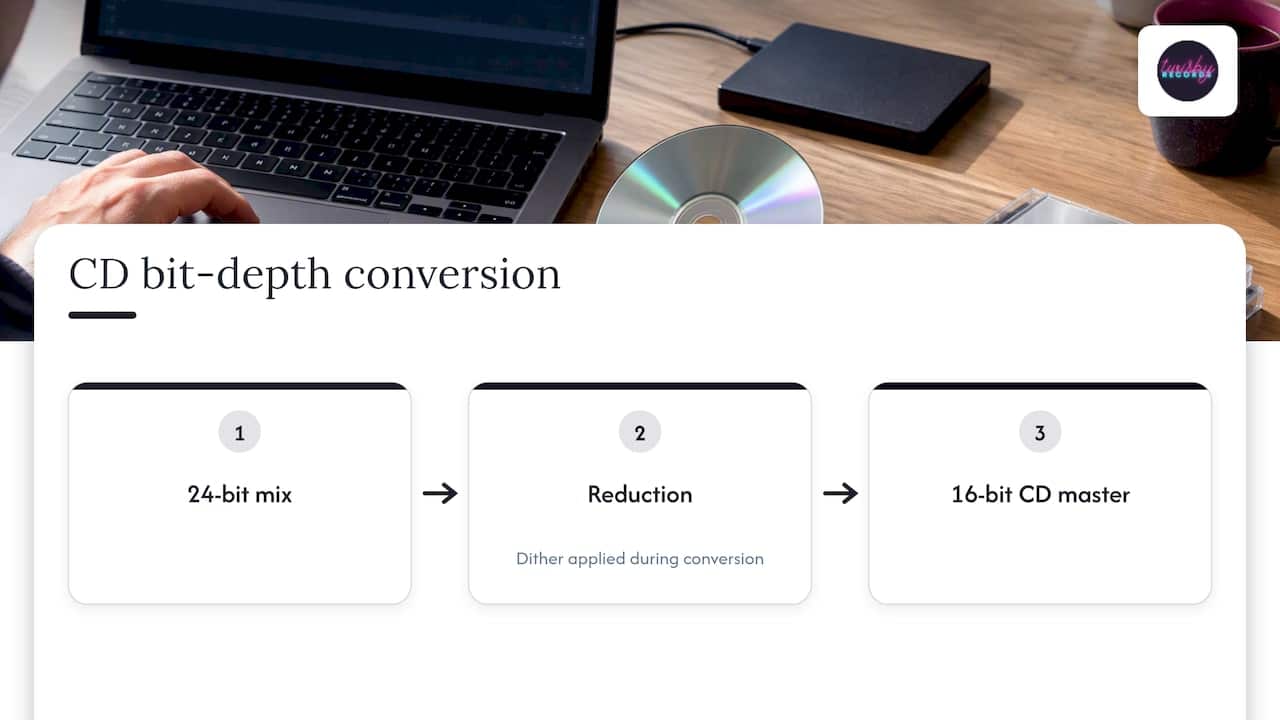
Your mix is probably 24-bit. A CD is 16-bit, so the master has to be reduced, and dither is normally applied during that conversion. This is one of those steps best left to the mastering engineer, because poor conversion adds quantization noise you can’t remove later. Waves describes 16-bit conversion and dithering as part of finishing a CD final mix.
Metadata you should gather
The Library of Congress recommends delivering the final release version rather than a pre-production one and, where possible, keeping metadata such as title, artist, album, publisher, ISRC, and UPC. Pull this together before mastering starts:
- Final song titles, spelled exactly as they’ll print
- Your artist name as it should appear
- ISRC codes for each song, if you have them
- UPC/barcode for the release, if assigned
- Your preferred track order
How to prepare your mix for CD mastering
This is where most of the value gets decided, and where you have the most control. Work through this checklist before you hit send.
- Finish the mix. Mastering can’t replace a missing vocal fix or a bad balance decision. Live with the mix for a few days, then listen again.
- Remove the limiter from your master bus. Send an open mix. If you want to show your engineer a loud reference, export a separate version and label it clearly.
- Leave headroom, but don’t obsess. People will tell you to peak at -6 dB. That’s a convention, not a law. One engineer’s write-up argues the only firm rule is that your mix should never hit or exceed 0 dB, and that a mix peaking anywhere from about -12 dB to just under 0 dB works fine for mastering when recorded in 24-bit. My practical advice: peaks somewhere around -6 to -3 dB, no clipping, and a mix that isn’t already squashed.
- Export at the session’s native resolution. Send 24-bit WAV files at your project sample rate. Don’t convert down to 16-bit or MP3 before mastering.
- Check translation. Sound On Sound recommends checking mixes on headphones and consumer systems like a car stereo, boombox, or smart speaker, and confirming that important elements stay audible and the balance holds.
- Send notes. Tell your engineer your reference tracks, which songs worry you, and the order you want.
If you’re wondering what dB your mix should hit, that’s the answer: a clean, uncompressed-by-limiter mix with comfortable peaks, not a specific number.
Making the album feel like one record
The thing that separates an album from a folder of songs is consistency. Tone, level, and spacing all have to feel intentional from the first track to the last. That’s why mastering for CD often means working on all the tracks together, not one at a time.
Planning matters beyond audio too. If you’re building a release around live shows, thinking about album release and tour strategy early helps you decide when discs need to be in your hands, which tells you when your master has to be finished.
Our perspective: why hands-on mastering still matters
We’ve been mastering and mixing for over 35 years, and we’re Apple Digital Masters certified. Here’s what that experience tells us about CD work.
Mastering is a human quality-control stage. iZotope’s own guide describes it as concerned with translation, album context, technical errors, metadata, and delivery formats, not just a loudness preset. We agree. A preset doesn’t know your second song has a boomy room tone, or that the quiet last track needs a longer fade.
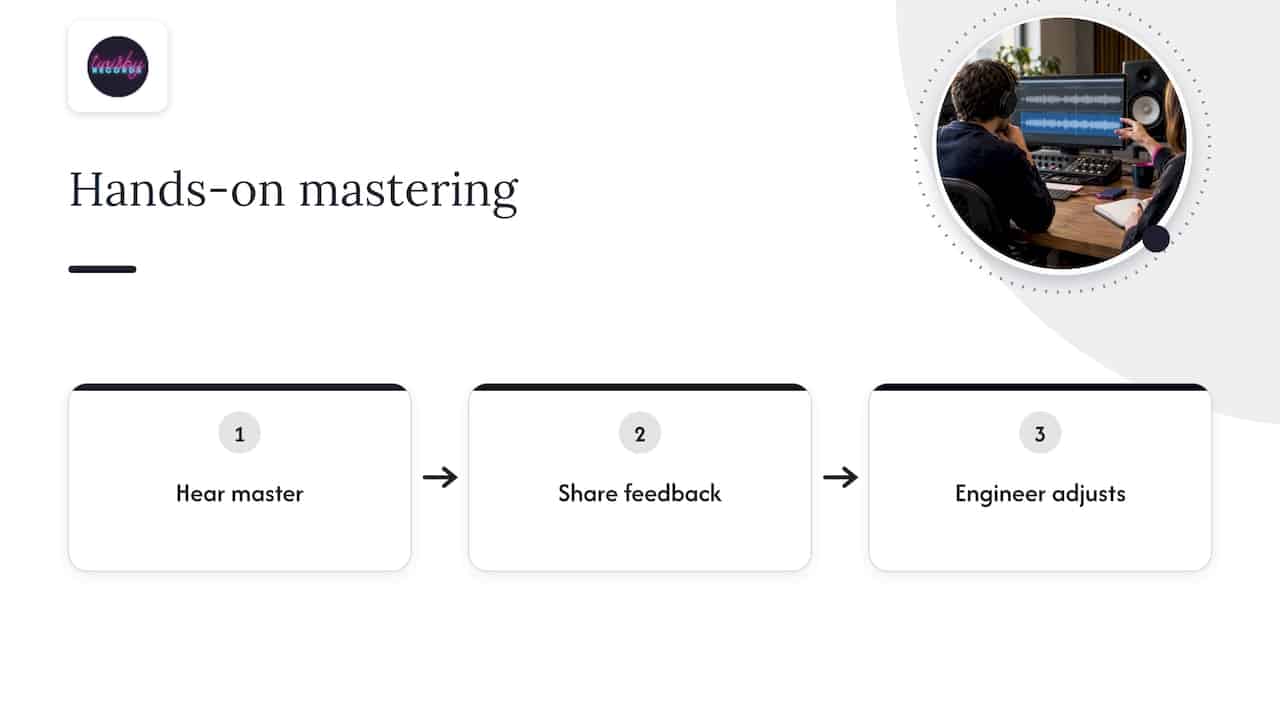
That’s why every project we take gets personal attention from an experienced engineer using real analog gear, with room for creative back-and-forth. You hear a master, you tell us what you feel, we adjust. Turnaround is fast, and we stay available after delivery.
One more thing. CD is technically forgiving compared with vinyl, as Sound On Sound has pointed out, so the key decisions are about level, dynamics, word length, and delivery organization. That’s good news for DIY artists. If you also plan a vinyl pressing, read our guide on mastering for vinyl, because those rules differ.
— Kreg
Get your CD master from us
If you have finished mixes and a disc run in mind, our mastering service is $50 one-off. Tell us it’s for CD, tell us which format your plant wants, and we’ll deliver accordingly. If the mixes themselves aren’t there yet, we also offer mixing, and for artists who want to build an audience once the record is out, we run targeted advertising campaigns for music releases.
FAQ
Do I need a separate master for CD and streaming?
Usually, yes. Separate masters are generally required for CD and other formats, even if much of the processing is shared. The differences are in bit depth, limiting, and sequencing. A CD master can be pushed to your preferred level, while a streaming master should leave room for loudness normalization and lossy conversion.
What file format should I send to a CD manufacturer?
Ask the plant first. Most accept 16-bit/44.1 kHz WAV files, and many prefer a DDP image for replication. A DDP carries the sequenced record, track IDs, and metadata like ISRC and UPC in a single package.
Does mastering make my CD louder?
It can, but it shouldn’t just be louder. On CD there’s no normalization, so level is a creative choice. Over-limiting crushes dynamics and tires listeners, so a good engineer balances loudness with punch and clarity.
What level should my mix be before mastering?
There’s no single number. Keep it free of clipping, never touching 0 dB, with no limiter on the master bus. Peaks around -6 to -3 dB are a comfortable target, and what matters more is that the mix keeps its dynamics.
Sources
- Chapter 20 Mastering and CD Burning, Practical Recording Techniques
- The Mechanics of Mastering
- How to mix and master a song from start to finish, iZotope
- Q. How does mastering differ for vinyl and digital releases?, Sound On Sound
- How do I master my music for streaming and download services, MusicRadar
- Mastering For Streaming Services, Sound On Sound
- Mastering for CD and Streaming, Full Compass
- Audio Loudness in Production, Mastering and Distribution, AES
- Linear Pulse Code Modulated Audio, Library of Congress
- Recommended Formats Statement, Audio Works, Library of Congress
- Mastering Deliverables, Yamaha
- 6 Tips to Maximize Loudness AND Dynamic Range in Mastering, Waves
- 10 Essential Mix Checks, Sound On Sound
- How Much Headroom to Leave for Mastering









