

TL;DR:
- Use TikTok Promote for quick creative validation through boosting existing posts, especially for solo musicians and small tests. Transition successful content to TikTok Ads Manager for precise targeting, conversion tracking, and scaling campaigns, ideally linking both tools for integrated reporting. The key is to use Promote as a diagnostic step before investing heavily in structured, performance-driven advertising via Ads Manager.
Use TikTok Promote for fast creative validation and lightweight awareness. Use TikTok Ads Manager when you need structured campaigns, precise targeting, and conversion optimization tied to real business outcomes. For musicians and creators, the smartest path runs through both tools in sequence: test with Promote, then scale winners through Ads Manager using Spark Ads. If you’re a small business or label that needs measurable return on ad spend, start with Ads Manager once your pixel is installed and your creative has proven itself organically. One important note: Promote can integrate directly with Ads Manager, which unlocks consolidated reporting, pixel-based conversion objectives, and better audience reuse. That integration changes what both tools can do for you.
Table of Contents
- TikTok Promote vs Ads Manager: how do they actually compare?
- What can TikTok Promote actually do for you?
- What does TikTok Ads Manager give you that Promote doesn’t?
- How does the Promote and Ads Manager integration actually work?
- What do budgets and billing actually look like?
- Which tool should you use? A quick decision checklist
- How to use Promote as a low-cost creative test
- Where each tool will frustrate you
- Key Takeaways
- The part most guides won’t tell you
- Twisbyrecords handles TikTok campaigns for musicians who’d rather make music
- Useful sources
- FAQ
TikTok Promote vs Ads Manager: how do they actually compare?
The core difference comes down to control versus convenience. Promote is built for speed. Ads Manager is built for scale. Here’s how they stack up across the dimensions that actually matter for your decision.
| Dimension | TikTok Promote | TikTok Ads Manager |
|---|---|---|
| Primary objectives | Views, followers, website visits | Reach, traffic, conversions, app installs, lead gen, video views |
| Targeting granularity | Basic interests and demographics | Custom audiences, lookalikes, retargeting, detailed demographics |
| Budget and bidding | Preset tiers, platform-controlled | Daily/lifetime budgets, CPC/CPM/Target ROAS, bid strategies |
| Setup effort | In-app, minutes | Web dashboard, business verification, ad account approval |
| Reporting depth | Basic metrics | Impressions, clicks, conversions, audience breakdowns |
| Conversion tracking | Limited (until integrated) | TikTok Pixel, Events API, Engaged View Attribution |
| Speed for validation | Fast | Slower ramp-up, learning phase required |
| Best for | Creators, musicians testing content | Small businesses, performance marketers, labels scaling releases |
Three quick use-case snapshots:
- Solo musician with a new single: Run Promote on your strongest organic post for a few days. Watch engagement quality, not just view count. If the signals hold, move that post into Ads Manager as a Spark Ad with a conversion objective.
- Local service business: Skip Promote and go straight to Ads Manager with your pixel installed. You need lead data, not views.
- Performance marketer managing a release campaign: Use Ads Manager from day one. Promote is a diagnostic tool for you, not a delivery channel.
Once you link Promote to Ads Manager, your Promote campaign data syncs into the dashboard, giving you consolidated reporting, billing control, and the ability to import tested creatives directly into structured campaigns.
What can TikTok Promote actually do for you?
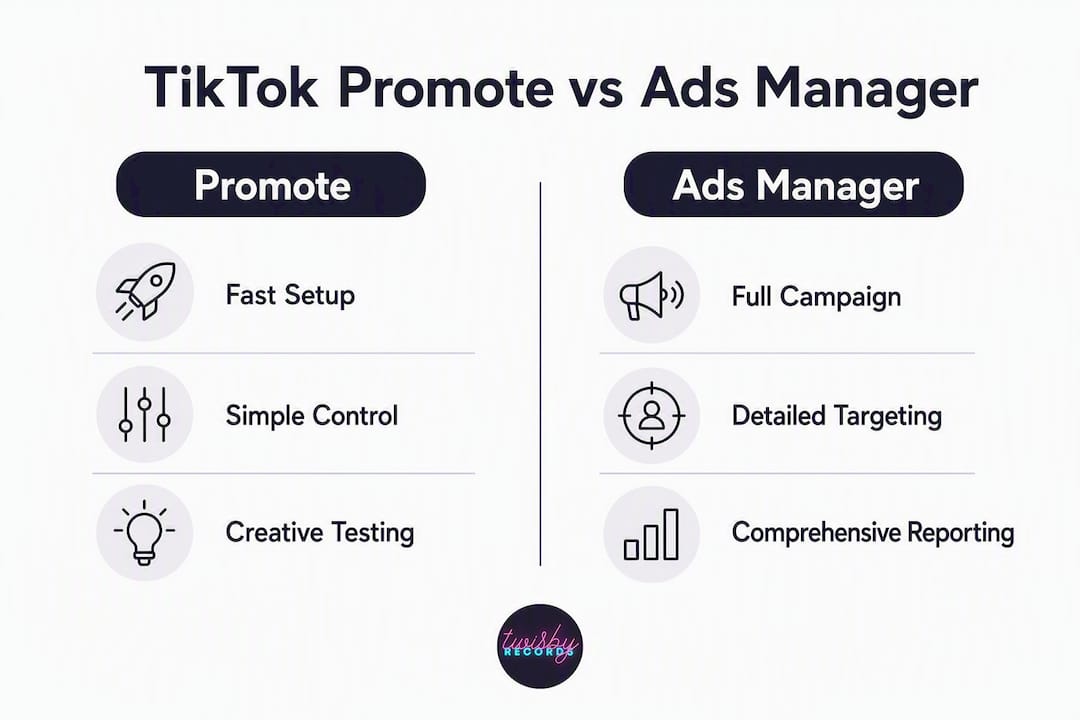
TikTok Promote is an in-app tool that amplifies an existing public post without requiring you to touch the Ads Manager dashboard. You pick a video, choose an objective, set a budget, and you’re live within minutes. That simplicity is its biggest asset and its biggest limitation.
What Promote supports:
- Three core objectives: more video views, more website visits, or more followers
- Basic audience filters: age, gender, and interest categories
- Preset budget tiers with low entry points, commonly referenced as $3 per day and a $20 total minimum, though TikTok’s interface may vary by account.
- Promotion of your own public posts only — you cannot boost another creator’s content
Where Promote falls short:
- No pixel-based conversion optimization (until you integrate with Ads Manager)
- No custom or lookalike audiences
- No bid strategy control — the platform decides how to spend your budget
- Limited creative formats — you’re working with what you already posted
The expected outcome from Promote depends almost entirely on the quality of the underlying content. If a video lacks organic engagement, paid distribution often produces “empty views” with little downstream action. Promote cannot fix weak content. It amplifies what’s already there, good or bad.
Pro Tip: Before you spend a dollar on Promote, check your video’s organic engagement rate. If it’s getting saves and comments from people who found it naturally, that’s a signal worth amplifying. If it’s only getting views from your existing followers, pause and rework the hook first.
What does TikTok Ads Manager give you that Promote doesn’t?
Ads Manager supports a full campaign hierarchy: campaign, ad group, and ad level. At the campaign level, you choose an objective. At the ad group level, you define your audience, placements, budget, and schedule. At the ad level, you upload creative. That structure gives you control that Promote simply doesn’t offer.

Campaign objectives available in Ads Manager include Reach, Traffic, Video Views, Community Interaction, Lead Generation, Website Conversions, Product Sales, and App Promotion. Each one tells the algorithm which action to optimize for — and that specificity is what separates performance campaigns from awareness sprays.
Advanced targeting options:
- Custom audiences built from your own customer lists or website visitors
- Lookalike audiences modeled on your best existing fans or converters
- Retargeting users who engaged with your content or visited your site
- Granular demographic layering by location, device, language, and behavior
Spark Ads deserve special mention here. They let you promote an organic TikTok post from within Ads Manager, with full targeting and bidding control, using the post’s existing engagement count as social proof. For musicians, this is the bridge between organic content and paid performance.
On attribution: Ads Manager includes Engaged View Attribution (EVA), which credits conversions from viewers who watched at least 6 seconds of your ad, even without clicking. Some analyses report EVA accounts for 30–40% of conversion credit in creative-led campaigns. For music releases where the video itself drives the decision, EVA can make your results look meaningfully different depending on which attribution window you’re reading. Always check which model your reporting is using before drawing conclusions.
Setup does require more work upfront: business verification, billing setup, and an ad account approval window that can take 24–48 hours. There’s also a learning phase after launch where the algorithm needs enough conversion data before it stabilizes performance. Budget for that ramp-up time.
How does the Promote and Ads Manager integration actually work?
Linking Promote to Ads Manager is the move most creators skip, and it’s the one that makes both tools more useful. Here’s the practical sequence:
- Go to your TikTok Ads Manager account and navigate to the integration settings.
- Connect your TikTok creator or business account to the Ads Manager account.
- Once linked, your Promote campaign data flows into Ads Manager’s reporting dashboard.
- You gain access to conversion objectives in Promote campaigns, tracked via TikTok Pixel or Events API.
- Creatives you tested through Promote can be imported directly into Ads Manager as Spark Ads.
What changes after you link the accounts:
- Consolidated billing and reporting across both tools
- Access to website conversion objectives in Promote (requires Pixel)
- Ability to build retargeting audiences from Promote-driven traffic
- Richer audience data for lookalike modeling in Ads Manager
TikTok Pixel vs Events API — which one do you need?
- TikTok Pixel: A JavaScript snippet installed on your website. It tracks page views, button clicks, purchases, and other browser-side events. Best for most small businesses and musicians with a landing page or Linktree alternative.
- Events API: A server-side integration that sends conversion data directly from your server to TikTok. More reliable, less affected by ad blockers and iOS privacy changes. Best for teams with developer resources or higher-volume campaigns where attribution accuracy is critical.
For most independent musicians, the Pixel is the right starting point. Get it installed before you run your first Ads Manager campaign.
What do budgets and billing actually look like?

Promote keeps the floor low. The minimums often cited for TikTok Promote are around $3 per day with a $20 total floor, though the exact tiers you see may vary based on your account and region. You set a total budget and duration, and TikTok controls the spend rate. There’s no bid strategy to configure.
Ads Manager operates differently. Campaign and ad group minimums are higher, and you choose between daily and lifetime budgets. Bidding strategies range from lowest cost (let the algorithm optimize) to manual CPC, CPM, or Target ROAS, depending on your objective.
The real cost risk isn’t the minimum spend — it’s paying for reach that doesn’t convert. If you run Promote on a video that hasn’t earned organic engagement, you’re buying views from people who won’t remember you. The same budget in Ads Manager, pointed at a validated creative with a conversion objective and a pixel installed, produces data you can actually use. Spend the first $50 on Promote as a diagnostic. Spend the next $500 on Ads Manager as a performance tool.
Ads Manager’s native reporting covers impressions, clicks, conversions, and audience breakdowns well for single-channel campaigns. If you’re running multi-channel campaigns across TikTok, Meta, and YouTube simultaneously, you’ll likely need an external connector to unify reporting.
Which tool should you use? A quick decision checklist
Run through these five questions before you spend anything:
- What’s your primary goal? Awareness and content validation → Promote. Leads, conversions, or streaming growth → Ads Manager.
- What’s your monthly budget? Under $100 for a test → Promote. Over $300 with a defined goal → Ads Manager.
- Is your pixel installed? No pixel → Promote only, or install the pixel first. Pixel live → Ads Manager unlocks its full value.
- Has your creative earned organic engagement? No organic signals → rework the content before spending. Solid engagement → ready to amplify.
- Do you have in-house ad ops capacity? Yes → run Ads Manager yourself. No → consider a managed service.
Three scenario examples:
- Solo creator, $100 test budget: Run Promote on your two strongest posts for five days each. Measure engagement rate and watch-through, not just views. If one post outperforms, that’s your Ads Manager candidate.
- Local business selling services, needs leads: Go straight to Ads Manager with a Lead Generation objective. Install the pixel on your landing page. Promote isn’t built for lead capture.
- Label or manager scaling a release with conversion goals: Ads Manager from day one, with Spark Ads on organic posts that already have traction. Use Promote only to pre-validate new creative before committing larger budgets.
When you’re managing a release campaign across multiple platforms, lack internal expertise, or need multi-channel attribution, that’s when a managed service pays for itself. The cost of misconfigured pixels and wasted learning-phase budget often exceeds the cost of professional help.
How to use Promote as a low-cost creative test
Industry experts consistently frame Promote as a diagnostic tool, not a delivery channel. The two-stage approach — validate on Promote, scale on Ads Manager — is the most efficient path for musicians and small businesses with limited budgets.
Here’s a repeatable test plan:
- Pick two to three candidate posts that have shown some organic engagement (saves, comments, shares — not just views from your existing followers).
- Run each on Promote with a views or website clicks objective, small budget, and a defined duration (three to five days minimum for a meaningful sample).
- Measure engagement quality: watch-through rate, comment sentiment, shares, and CTR to your landing page if you used a link objective.
- Set a minimum threshold before scaling. If a post doesn’t hit your engagement rate floor, don’t move it to Ads Manager — rework the creative first.
KPIs that actually predict paid performance:
- Watch-through rate (what percentage watched past the 75% mark)
- Engagement rate (likes, comments, shares divided by views)
- CTR to landing page (if using website clicks objective)
- Comments per view (a proxy for genuine interest, not passive scrolling)
Vanity metrics like raw view count tell you almost nothing about whether the creative will convert at scale. A video with 10,000 views and 12 comments is a weaker signal than one with 2,000 views and 80 comments.
Pro Tip: Before moving a Promote-tested creative into Ads Manager, require a minimum sample size. A three-day Promote run on a small budget gives you directional data, not statistical certainty. If the engagement signals are strong but the sample is tiny, extend the Promote run by two more days before committing to a full Ads Manager campaign.
At Twisbyrecords, the standard practice is to validate content with Promote first and only escalate to Ads Manager when the signals demonstrate repeatable performance across multiple short test windows. That discipline prevents the most common mistake: scaling a video that looked good on day one but had no staying power.
Where each tool will frustrate you
Both tools have real failure modes. Knowing them in advance saves budget and sanity.
Promote red flags:
- You’re boosting a video with low organic engagement and expecting paid reach to compensate. It won’t.
- Your objective doesn’t match your creative. A talking-head video with a “get more followers” objective rarely converts viewers into followers.
- You’re expecting granular audience control. Promote’s targeting is basic by design.
- CPMs are higher than expected because the creative quality score is low. TikTok’s algorithm penalizes low-engagement content even in paid distribution.
Ads Manager red flags:
- Your pixel is installed but firing on the wrong events, so the algorithm is optimizing for the wrong action.
- Your daily budget is too low to exit the learning phase. Underpowered campaigns produce unstable data and poor performance.
- You’re running too many simultaneous ad sets, splitting the budget so thin that none of them generate enough conversions to optimize.
- Your conversion definition is unclear. “Website visit” and “purchase” are very different optimization signals.
The most expensive mistake in TikTok advertising isn’t choosing the wrong tool. It’s using the right tool incorrectly. A misconfigured Ads Manager campaign with a broken pixel will outspend Promote by a factor of ten and produce nothing useful. Audit your pixel events before you launch, and confirm your conversion definition matches your actual business goal.
The point where complexity justifies outside help is usually when you’re managing more than two ad sets simultaneously, running multi-platform campaigns, or spending enough that a 20% efficiency gain would cover the cost of a professional.
Key Takeaways
TikTok Promote is your creative diagnostic; TikTok Ads Manager is your performance engine — use them in sequence, not as substitutes for each other.
| Point | Details |
|---|---|
| Promote = validation, Ads Manager = scale | Use Promote to find what works organically, then move winners to Ads Manager for conversion campaigns. |
| Install the pixel early | TikTok Pixel or Events API must be live before Ads Manager can optimize for conversions or retargeting. |
| Engagement quality beats view count | Watch-through rate, comments per view, and CTR predict paid performance far better than raw views. |
| EVA changes your attribution math | Engaged View Attribution can account for 30–40% of conversion credit in creative-led campaigns — always check your attribution model. |
| Twisbyrecords manages the full workflow | For musicians without ad ops capacity, Twisbyrecords handles creative testing, pixel setup, and Ads Manager campaigns end to end. |
The part most guides won’t tell you
Most TikTok advertising content treats Promote and Ads Manager as competing options and tells you to pick one. That framing misses the point entirely.
The real mistake musicians make isn’t choosing the wrong tool. It’s skipping the validation step because they’re impatient to scale. They spend $500 on Ads Manager pushing a video that never earned organic attention, then conclude that TikTok ads don’t work for music. They do work. But paid distribution amplifies what’s already there. A weak hook at the start of your video will perform weakly at scale, no matter how precise your targeting is.
The second mistake is treating Promote results as proof of concept without checking engagement quality. A video that gets 50,000 views on Promote but generates 30 comments and a 0.3% CTR to your landing page is not a winner. It’s a warning. Scale that, and you’ll spend real money confirming what the engagement rate already told you.
What Twisbyrecords has seen across music advertising campaigns is that the artists who grow fastest are the ones who treat the first $50–$100 as a learning budget, not a growth budget. They’re not trying to go viral with that money. They’re trying to find out which 15-second hook makes someone stop scrolling. Once they know that, the Ads Manager budget has a job to do.
The tools are not the hard part. The discipline to validate before you scale is.
Twisbyrecords handles TikTok campaigns for musicians who’d rather make music
Running TikTok ads well takes more than a credit card and a good video. It takes pixel setup, creative testing, audience research, bid strategy, and ongoing optimization — all while you’re trying to finish your next release.

Twisbyrecords manages the full advertising workflow for independent musicians and small labels: creative validation, TikTok Pixel implementation, Ads Manager campaign setup, landing page creation, and performance reporting. You get the results of a professional ad operation without building one yourself. If you’re ready to stop guessing which post to boost and start running campaigns that actually move your streaming numbers, see what Twisbyrecords’ advertising services include and request a quote. Onboarding is straightforward — you’ll know exactly what’s being built and why before anything goes live.
Useful sources
These are the authoritative references cited throughout this article. Bookmark the TikTok Help Center pages for setup steps and check the analytics guides when you’re ready to go deeper on attribution.
- About Promote integration with TikTok Ads Manager — Official TikTok documentation on linking Promote to Ads Manager and what syncs between the two tools.
- Does TikTok Promote Work? (Socibly) — Expert breakdown of when Promote produces real results and when it wastes budget.
- How to Boost TikTok Posts With Ads (TikAdTools) — Practical guide covering Promote capabilities, Ads Manager structure, and budget entry points.
- TikTok Advertising Guide: Strategy and Analytics (Improvado) — Deep dive into Ads Manager reporting, Engaged View Attribution, and multi-channel analytics considerations.
- How Does TikTok Promote Work? (Darkroom Agency) — Realistic guide on using Promote as a validation tool before scaling with Ads Manager.
- Twisbyrecords Advertising Services — Managed TikTok and social advertising for independent musicians, including pixel setup, creative testing, and campaign management.
FAQ
Is TikTok Promote worth it for musicians?
Yes, when you use it as a creative validation tool rather than a growth channel. Promote is worth the spend if you’re testing which content resonates before committing to a full Ads Manager campaign.
What happens when you use TikTok Promote?
TikTok distributes your existing public post to a broader audience based on your chosen objective (views, followers, or website visits) and basic targeting filters. Results depend heavily on the underlying content quality — paid reach cannot compensate for weak creative.
Is TikTok Ads Manager worth it for small businesses?
Yes, once you have a validated creative and a pixel installed. Ads Manager gives you conversion tracking, custom audiences, and bid control that Promote simply doesn’t offer, making it the right tool when measurable results matter.
What is the difference between TikTok Pixel and Events API?
TikTok Pixel is a browser-side JavaScript snippet that tracks user actions on your website. Events API is a server-side integration that sends conversion data directly from your server, making it more reliable in environments where ad blockers or iOS privacy settings limit browser tracking.
When should you hire someone to manage TikTok ads?
Consider a managed service when your monthly ad budget exceeds what you can afford to lose to misconfiguration, when you lack in-house expertise to interpret pixel data, or when you need multi-channel attribution across TikTok and other platforms. Twisbyrecords handles this end to end for independent musicians.