

You can drive and attribute Spotify conversions from Meta ads using two routes: the native Spotify “Engagement on Spotify” objective inside Spotify Ads Manager, or external Meta ads that send traffic to a landing page instrumented with the Spotify Pixel and Conversions API. Route A is faster to launch and gives you Spotify-attributed metrics directly. Route B gives you more control over the funnel, lets you capture pre-saves and emails, and works across Meta and other paid channels simultaneously.
Pick your route now:
- If your creative is ready and you want direct Spotify-attributed stream data, go to Spotify Ads Manager and select the Engagement on Spotify objective.
- If you want a pre-save flow, email capture, or cross-channel measurement, build a dedicated landing page, install the Spotify Pixel on at least three pages, and generate your Conversions API token.
Three things to do before your next session:
- Open Spotify Ads Manager and confirm the Engagement on Spotify objective is available for your account.
- Check whether the Spotify Pixel is installed on your landing page, thank-you page, and artist site (three pages minimum).
- Generate a CAPI authentication token and connection ID in Ads Manager Events if you plan to run the Pixel and Conversions API together.
Key Takeaways
Running Spotify conversion ads effectively requires choosing the right route upfront, instrumenting your tracking correctly, and reading results from both Meta and Spotify Ad Analytics together.
| Point | Details |
|---|---|
| Choose your route first | Route A (Engagement on Spotify) for native stream attribution; Route B (Pixel + CAPI) for pre-save and cross-channel funnels. |
| Install pixel on three pages | Single-page installs underpower attribution; cover landing page, thank-you page, and one additional page. |
| Use CAPI alongside the pixel | A dataset linking both sources deduplicates conversions and compensates for iOS privacy signal loss. |
| Watch new listeners weekly | Rising new-listener counts in Spotify Ad Analytics, paired with landing CTA conversions in Meta, is the earliest signal a campaign is working. |
| Twisbyrecords handles the full setup | Twisbyrecords manages pixel/CAPI install, landing-page build, Meta campaign setup, and weekly reporting for indie artists. |
Table of Contents
- How do Spotify conversion ads actually work?
- How to set up the Spotify Pixel, Conversions API, and Google Tag Manager
- Which conversion events should musicians actually track?
- How to structure Meta campaigns that drive Spotify activity
- How to read your results across Spotify Ad Analytics and Meta
- Common problems with Spotify conversion tracking and how to fix them
- A practical test campaign checklist for indie artists ($300–$1,000 budget)
- Twisbyrecords handles the setup so you can focus on the music
- What running these campaigns actually teaches you
- Sources
- FAQ
How do Spotify conversion ads actually work?
The two routes measure different things, and mixing them up is the fastest way to waste budget.
Route A: Engagement on Spotify (native). When you select the Engagement on Spotify objective and set the content type to “Music,” then pick your artist name, Spotify unlocks artist-specific reporting: new listeners, streams per listener, and attributed conversions tied directly to ad exposure. Attribution happens inside Spotify’s own ecosystem, so there is no pixel required and no external landing page needed. This is the cleanest route for measuring whether your ad actually drove someone to press play.
Route B: Pixel + Conversions API (external). The Spotify Pixel is a JavaScript snippet that fires on your website and uses IP matching and device graphs to connect a site visit back to a Spotify ad exposure. When you pair it with the Conversions API (CAPI), server-side event data supplements the browser-side pixel, which matters because iOS privacy restrictions and ad blockers can suppress pixel signals. Together, Pixel + CAPI give you deduplicated attribution across both sources.
Key terms you need to know:
- Attributed conversion: An action (stream, pre-save, follow) that Spotify’s system connects to a specific ad exposure.
- Baseline group: Users not exposed to the ad, used as the control in a Conversion Lift report.
- Exposed group: Users who saw the ad and whose actions are measured against the baseline.
- Lift: The percentage change in conversions between exposed and baseline groups, calculated as ((Exposed minus Baseline) / Baseline) × 100.
- Gain: The raw incremental units attributed to the campaign, separate from the percentage lift figure.
Spotify Ad Analytics is the single source of record for Spotify-attributed conversions. Meta Ads Manager shows you clicks, link clicks, and landing-page events, but it cannot see what happens inside the Spotify app. Use both dashboards together: Meta tells you what your ad did, Spotify tells you what your listener did.
Spotify’s rebuilt ad platform now leans into first-party measurement and automated buying, which means even small-budget campaigns can produce trackable outcomes when set up correctly.
How to set up the Spotify Pixel, Conversions API, and Google Tag Manager
Follow these steps in order. Skipping ahead causes mismatched data that is hard to diagnose later.
- Open Ads Manager Events. In your Spotify Ads Manager account, navigate to the Events section. This is where you generate your authentication token and connection ID.
- Generate your token and connection ID. You need Business Admin permissions to do this. If you get an access error, check your account role before anything else.
- Create a dataset. If you plan to run both the Pixel and CAPI simultaneously, create a dataset to enable deduplicated measurement. Without a dataset, the same conversion can be counted twice.
- Install the Pixel base script. Copy the JavaScript snippet from Ads Manager and paste it into the
<head>of your pages. Install it on at least three pages: your landing page, your thank-you or confirmation page, and your artist site or a second content page. - Configure event names and triggers. Add event calls for the actions you care about (pre-save, follow, Spotify link click). Use consistent naming conventions (more on this in the next section).
- Set up CAPI via Google Tag Manager. In GTM, create a server container. Add your authentication token and connection ID from step 2. Spotify supports both automatic provisioning (requires billing/project creator permissions in Google Cloud Platform) and manual provisioning for teams that already manage their own GCP environment.
- Verify firing. Use GTM Preview mode or your browser’s developer tools (Network tab, filter for “spotify”) to confirm events are sending. Then wait.
Install the pixel on at least three pages. A single-page install is the most common setup mistake. Spotify’s own install guidance notes that multi-page coverage gives the algorithm the baseline data it needs for accurate attribution. One page is not enough.
Pro Tip: After installing the pixel, give it up to 20 minutes before checking Ads Manager Events for activity. Refreshing every 30 seconds and assuming something is broken is a very common time sink. Set a timer, step away, then verify.
Quick verification checklist:
- Pixel fires on landing page, thank-you page, and artist site.
- Event names match what you configured in Ads Manager.
- GTM Preview shows server-side events reaching the CAPI endpoint.
- Ads Manager Events shows recent activity (allow the 20-minute window).
- Dataset is linked if using both Pixel and CAPI.
Which conversion events should musicians actually track?
Not every event is worth optimizing for. Focus on the signals that connect directly to streaming outcomes.
Highest-priority events for music campaigns:
- New listener (Spotify Ads Manager native metric): the clearest indicator that your ad reached someone who had not heard you before.
- Stream / streams per listener (native, Route A only): tells you whether people listened past the first 30 seconds.
- Pre-save (landing page event): captures intent before a release date and drives a stream spike on release day.
- Follow (Spotify follow event or landing-page CTA): builds your long-term listener base.
- Landing-page view (Pixel page view event): baseline traffic signal, useful for diagnosing funnel drop-off.
- Landing-page CTA click (custom event on your Spotify deep-link button): the most actionable external signal you can send back to Meta for optimization.
Recommended event naming conventions:
Use lowercase, underscore-separated names so they are readable across platforms. Examples: spotify_pre_save, spotify_follow, landing_spotify_click, spotify_page_view. Consistent naming prevents the mismatch between what Meta sees and what Spotify reports.
Aligning events with Meta optimization. In Meta Ads Manager, set your conversion event to the landing-page CTA click (your Spotify deep-link button click) when running Route B. This gives Meta’s algorithm a signal it can actually optimize for, since it cannot see inside the Spotify app. Once you have enough conversion data (Meta typically needs 50 conversion events per week per ad set to exit the learning phase), you can test tighter audience segments.
Pre-saves are a leading indicator of release-day stream performance, so track those separately if you have a release date coming.
How to structure Meta campaigns that drive Spotify activity
The funnel has three stages, and each one needs to be set up before you launch.

The recommended flow: Meta ad (video or image with a clear listen/save CTA) → dedicated landing page with Spotify Pixel installed → thank-you page or Spotify deep-link redirect that confirms the event fired.
Deep link vs. pre-save: which to use. A deep link sends the listener directly to your Spotify track or artist page, which is the right choice when your release is already live and you want immediate streams. A pre-save page collects the listener’s intent before release, delivers a stream spike on release day, and lets you capture an email address for future campaigns. For unreleased music, pre-save wins. For live releases, a direct deep link is faster.
Meta creative checklist for Spotify outcomes:
- Open with an audio hook in the first 2–3 seconds (a memorable melody, lyric, or drop).
- Use a clear, single CTA: “Listen on Spotify,” “Save Now,” or “Follow.”
- Keep video loops tight, 6–15 seconds, so the ad works in Reels and Stories placements.
- Include a Spotify-branded visual element where your usage rights allow it.
- Test one variable at a time: hook vs. hook, or CTA text vs. CTA text.
For landing-page builds, tools like ToneDen and Linktree both support pre-save flows and Spotify deep links. ToneDen is purpose-built for music campaigns and handles the Spotify OAuth pre-save flow natively. Linktree is faster to set up and works well for direct deep links when you do not need email capture.
Pro Tip: Always add UTM parameters to your landing-page URL in Meta Ads Manager (utm_source=meta, utm_medium=paid, utm_campaign=your-release-name). This lets you cross-reference Meta traffic in Google Analytics or your landing-page analytics alongside Spotify Ad Analytics data, so you can see the full path from ad impression to stream.
For a deeper look at Meta creative strategy for music, the Instagram ads for music guide covers audience targeting and creative formats in detail.
How to read your results across Spotify Ad Analytics and Meta
The two platforms report different things. Reconciling them is where most indie artists get confused.
What each platform tells you:
- Meta Ads Manager: impressions, CPM, link clicks, landing-page views, and any custom events your Pixel fires. It does not see what happens inside Spotify.
- Spotify Ad Analytics: attributed conversions, new listeners, streams per listener, and (when available) Conversion Lift data. This is the authoritative source for Spotify outcomes.
Aligning your KPIs. The bridge metric is CPA per gain: divide your total Meta spend by the number of incremental conversions (gain) reported in Spotify Ad Analytics. New listeners per dollar is another clean metric for music campaigns. Use streams per listener to gauge whether your ad is reaching genuinely interested listeners or just curious clickers.
When to use a Conversion Lift report. Conversion Lift compares your exposed group to a baseline group and calculates the percentage lift your campaign produced. It is the most rigorous measurement available, but it has requirements: campaigns typically need substantial impressions and at least four weeks live to populate a report. Conversion Lift reporting shows the highest conversion volume in the first week (week 0–1) with a long tail afterward, so do not pull the report too early.
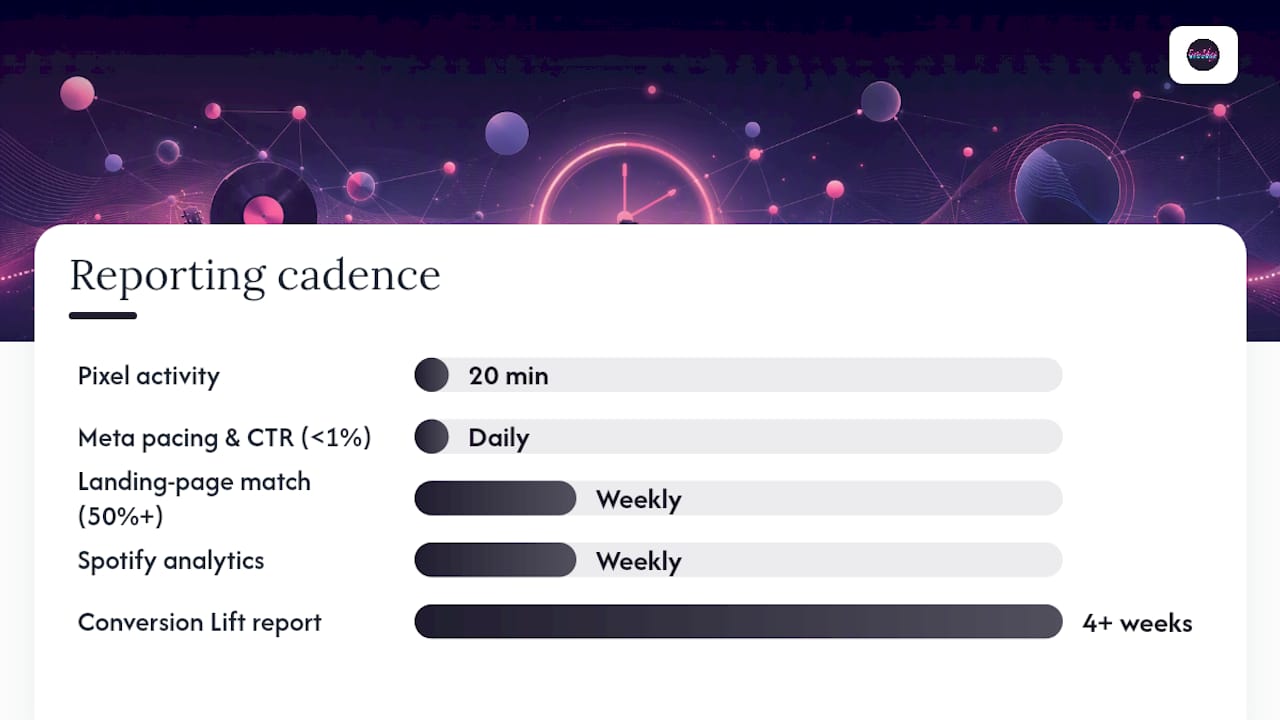
Reporting cadence and thresholds:
| Metric / Check | Timing | Threshold / Note |
|---|---|---|
| Pixel activity in Ads Manager | After install | Allow up to 20 minutes to reflect |
| Meta pacing and CTR | Daily | Adjust budget if CTR falls below 1% |
| Landing-page events and match rate | Weekly | Aim for 50%+ pixel match rate |
| Spotify Ad Analytics (new listeners, streams) | Weekly | Look for week-over-week trend |
| Conversion Lift report | 4+ weeks live | Requires substantial impressions to populate |
Common problems with Spotify conversion tracking and how to fix them
Most issues fall into a short list of repeatable mistakes.
- Pixel installed on only one page. Fix: add the base script to at least three pages. Verify each page fires independently in GTM Preview.
- Incorrect or inconsistent event names. Fix: audit your event names in Ads Manager Events and compare them to what your GTM tags are sending. A mismatch means conversions are not being counted.
- Missing CAPI token or wrong connection ID. Fix: regenerate the token in Ads Manager Events. Confirm you have Business Admin permissions. Paste the connection ID into GTM exactly as shown, no extra spaces.
- Low pixel match rate. Fix: add CAPI to supplement browser-side data. iOS privacy restrictions and ad blockers reduce pixel signal; server-side events from CAPI are not affected the same way. Using both together with a dataset for deduplication is the right long-term setup.
- Wrong objective selected. Fix: if you chose a traffic or awareness objective in Spotify Ads Manager but expected streaming conversion data, you will not get artist-level metrics. You must select Engagement on Spotify and set content type to Music.
- Confusing Meta attribution with Spotify attribution. Fix: stop trying to reconcile click counts directly. Meta counts clicks; Spotify counts attributed conversions. They measure different things and will never match exactly.
Privacy and iOS limits. Apple’s App Tracking Transparency framework reduces the signal available to browser-side pixels. CAPI mitigates this because server-side events do not depend on browser permissions. Expect match rates to be lower than they were pre-iOS 14, and plan for it by running CAPI from day one rather than adding it later.
Before contacting support, collect:
- Your Ads Manager account ID and dataset ID.
- A screenshot of the Events page showing the event name and status.
- GTM Preview logs showing the event firing (or not firing).
- The exact error message if one appears.
A practical test campaign checklist for indie artists ($300–$1,000 budget)
This is the workflow we walk artists through when validating a new Meta-to-Spotify setup.
Step-by-step campaign checklist:
- Choose your objective: Engagement on Spotify (Route A) for direct stream attribution, or Traffic/Conversions to a landing page (Route B) for pre-save or deep-link flows.
- Build your landing page using ToneDen or a custom page. Install the Spotify Pixel on the landing page, thank-you page, and one additional page.
- Generate your CAPI token and connection ID. Set up the GTM server container and link the dataset.
- Create your Meta ad set: target a cold audience based on genre-adjacent artists, age, and US geography. Keep the audience broad enough to exit the learning phase.
- Set your conversion event in Meta to your landing-page CTA click (the Spotify deep-link button).
- Launch two ad variations: same copy, different visual or hook. This is your A/B test.
- Run for 2–4 weeks at $15–$50 per day, depending on total budget.
- Review weekly: landing CTR, pixel match rate, and new-listener trend in Spotify Ad Analytics.
Example budget allocation for a $500 test:
- Creative production (static or short video): $100–$150
- Meta ad spend: $300–$350
- Landing-page setup (if using a paid tool): $0–$50
Jumping spend too fast resets the learning phase and spikes your CPM. Watch frequency: once your ad frequency exceeds 3–4 per person in a week, creative fatigue sets in and CTR drops. Refresh the creative before scaling further.*
Checklist items for a campaign brief (for handing off to Twisbyrecords or an agency):
- Release date and Spotify artist/track URI.
- Target audience description (genre, age range, geography).
- Landing-page URL with UTM parameters.
- Pixel dataset ID and CAPI connection ID.
- Ad creative files (video or image, copy, CTA text).
- Budget, flight dates, and KPI targets.
- Reporting cadence preference (weekly summary or live dashboard).
Twisbyrecords handles the setup so you can focus on the music
Running a pixel install, CAPI integration, GTM server container, and Meta campaign simultaneously is a lot to manage on top of finishing a record. Twisbyrecords’ managed advertising service covers every technical step in this guide: pixel and CAPI installation, landing-page build with pre-save or deep-link flow, Meta campaign setup with proper conversion event configuration, and weekly reporting that pulls from both Meta and Spotify Ad Analytics.
Most campaigns are onboarded within one week. Starting budgets typically begin at $300 in ad spend, with a one-time setup fee that covers the full technical build. If you have a release coming and want the tracking done right from day one, get in touch with Twisbyrecords and we will scope the campaign together.
What running these campaigns actually teaches you
There is a pattern that shows up across nearly every indie campaign that struggles: the artist picked the right platform but the wrong objective, or they installed the pixel on one page and called it done. The technical setup is not glamorous, but it is where campaigns are won or lost before a single dollar is spent.
What works consistently is a clear landing flow with the pixel on multiple pages, a single focused CTA, and creative that hooks in the first two seconds. The artists who see the best results are not necessarily the ones with the biggest budgets. They are the ones who validated their tracking before scaling, watched new-listener trends weekly, and refreshed creative before frequency climbed too high.
The biggest recurring mistake is treating Meta reporting as the final word on Spotify performance. Meta cannot see inside the app. Spotify Ad Analytics can. Use both, reconcile them with a shared KPI like CPA per gain, and you will have a clearer picture than most indie campaigns ever achieve.
Spotify’s rebuilt ad infrastructure is genuinely moving toward first-party, closed-loop measurement. For independent artists, that is good news: the platform is becoming more accountable, not less. Set up the tracking correctly now, and you will be positioned to benefit as that measurement infrastructure matures.
Sources
These are the pages you will return to most during setup, troubleshooting, and reporting.
- Promoting music and artists – Ads Help Center – Spotify
- Spotify Pixel: Powerful Ad Tracking | Spotify Ads
- Understanding conversion lift reports – Ad Analytics – Spotify
- Spotify rebuilds ad business around automation, AI to secure bigger media budgets – Digiday
FAQ
What are Spotify conversion ads?
Spotify conversion ads are campaigns that measure a specific listener action (a stream, pre-save, or follow) as a conversion event, either through the native Engagement on Spotify objective in Spotify Ads Manager or through the Spotify Pixel and Conversions API on an external landing page.
Why am I suddenly getting more ads on Spotify?
Spotify has rebuilt its ad platform around automated, biddable buying and first-party measurement, which has made it easier for more advertisers (including independent musicians) to run targeted campaigns at smaller budgets, increasing overall ad volume on the platform.
What is the 30-second rule on Spotify?
A stream counts toward your play total only after a listener has played a track for at least 30 seconds. This threshold is why “streams per listener” in Spotify Ad Analytics is a more meaningful metric than raw impressions: it confirms genuine engagement, not just an accidental play.
How many Spotify streams does it take to earn $1,000,000?
Spotify’s per-stream payout varies by country, listener type, and distributor agreement. Paid advertising accelerates listener discovery but does not change the per-stream rate.
Can Twisbyrecords set up Spotify Pixel and CAPI for my campaign?
Yes. Twisbyrecords’ managed advertising service covers the full technical setup: pixel install across multiple pages, CAPI and GTM integration, landing-page build, and Meta campaign configuration, so your tracking is verified before your first dollar of ad spend.