


Apple Music attribution is the set of link parameters, metadata rules, and partner reports you use to tie a campaign touchpoint to streaming lift, not a system for tracking individual listeners. If you’re running a release campaign this week, do three things: build every link with app=music, at=, and ct= parameters intact, confirm your metadata and artist credits are locked before delivery, and export Apple Music for Artists analytics during your exact campaign window.
TL;DR:
- Using correct casing in linking parameters is essential, as uppercase letters in at= or ct= can cause attribution failure.
- Metadata must be consistent and complete, including artist spelling, ISRC, and composer information, to ensure accurate royalty routing and profile integrity.
- Partner dashboards track clicks, Artist Analytics shows streams and trends, and AdAttributionKit reports installs but never provides user-level journey details.
- Campaign links should include app=music, at=, and ct= parameters, built through Apple’s Toolbox or tested links to prevent attribution loss.
- Final campaign success depends on locking metadata, verifying link formatting, and comparing click and stream data over multiple days to confirm genuine uplift.
Table of Contents
- How Apple Records Campaign Signals: Partner Program, AdAttributionKit, and Partner Feeds
- Practical Linking Rules and Apple Services Linking Examples to Preserve Attribution
- Metadata and Crediting Standards That Determine Rightful Attribution and Royalty Routing
- Which Apple Metrics to Use and Practical Methods to Measure Campaign Lift
- Marketing Playbook: Smart Links, UTM Discipline, and Two-Tap Funnels
- Limits, Privacy, and Common Failure Modes
- Twisby Records’ Checklist and Workflow for Error-Free Attribution
- Impact of Attribution Data on Royalty Calculations and Payout Transparency
- Troubleshooting Common Issues With Apple Music Attribution Tags and Metrics
- Comparison With Attribution Tools From Other Music Streaming Platforms
- How to Implement Apple Music Attribution Tags Step by Step in Marketing Campaigns
- Detailed Explanation of Campaign Parameter Use Cases With Examples
- Overview of Apple Music Attribution’s Purpose and Benefits for Artists and Marketers
- What I Think Comes Next for Attribution in Music
- Where Twisby Records Fits Into Your Release Prep
- Where to Verify These Rules Yourself
- Sources
- FAQ
How Apple Records Campaign Signals: Partner Program, AdAttributionKit, and Partner Feeds
Apple splits campaign visibility across three separate systems, and knowing which one answers which question saves you hours of frustration.
The Apple Music Partner Program governs how approved partners, think playlist services, blogs, and ad platforms, get access to aggregated referral data tied to their links. Partners register, get an affiliate token, and then see performance rolled up by campaign name rather than by individual listener. This is the layer most marketers actually touch.
AdAttributionKit is Apple’s developer-level framework for measuring app-install and re-engagement campaigns on iOS. It supports click-through attribution windows of up to 30 days and view-through windows within 24 hours, covering static image, video, audio, and interactive ad formats without exposing any user-level identifier (App Store ad attribution).
AdAttributionKit measures app-install and re-engagement campaigns using aggregated click and view windows rather than individual device tracking, which is why Apple’s reporting always arrives as a rollup, never a path.
That privacy-first design is deliberate. Apple’s entire measurement ecosystem assumes no one gets a user-level trail from ad click to stream, so partner-level attribution is aggregated by design, and marketers have to lean on correlation instead of a clean funnel.
Here’s where each metric actually lives:
- Partner dashboards show click counts, campaign names, and conversion rollups tied to your at= and ct= tokens.
- Apple Music for Artists shows plays, unique listeners, saves, and geographic trends, but never which click produced which stream.
- AdAttributionKit reports install and re-engagement conversions to the ad network running the campaign, not to the artist or label directly.
- Intentionally private data includes individual listener identity, device-level journeys, and cross-app behavior outside Apple’s own measurement windows.
Understanding which dashboard answers which question is the first skill worth building. Ask Partner Program data “did people click,” ask Artist Analytics “did streams move,” and never expect either to hand you a straight line between the two.
Practical Linking Rules and Apple Services Linking Examples to Preserve Attribution
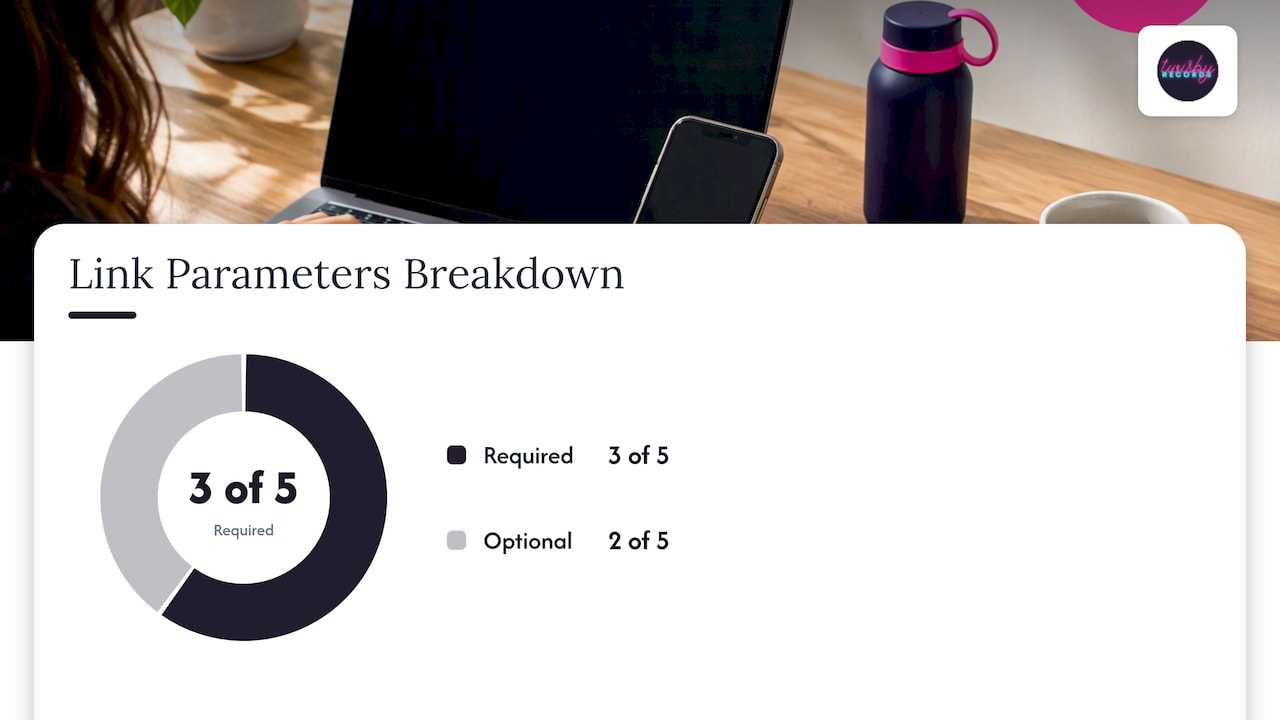
Every Apple Music link you build for a campaign should carry five parameters, and getting the casing wrong quietly breaks your reporting.
According to the Apple Services Performance Partners linking guide, the required and optional parameters are:
- app=music tells Apple which service the link targets, and it should appear on every campaign link without exception.
- at= carries your affiliate token in lowercase; capitalize it and Apple’s system may fail to credit the click to your partner account.
- ct= is your campaign name, also lowercase, and it’s the field that later lets you match clicks to a specific ad set or release push.
- ls=1 flags the link as coming from a linked source, which some partner integrations require for proper counting.
- geo= routes listeners through a country-specific domain (geo.music.apple.com) when you’re running territory-specific promotion and need clean regional reporting.
Apple recommends building these links through its own Apple Services Toolbox rather than typing them by hand, since the tool formats parameters correctly and reduces the chance of a stray uppercase letter or missing symbol. Manual links still work, but they’re where most attribution failures start.
Campaign naming deserves its own discipline. A ct= value like “single_release_fall” tells you nothing three months from now. Structure it instead as platform_releasetitle_datecode, for example “ig_midnightglow_2026q1,” so when you pull a partner report next quarter, the campaign name alone tells you the channel, the release, and the timeframe without opening a spreadsheet to remember what it meant.
Pro Tip: Keep a shared spreadsheet mapping every ct= value to its launch date and channel the moment you create the link, not after the campaign ends.
Smart-link providers that wrap Apple Music URLs are fine to use as long as the final redirect preserves app=, at=, and ct= unchanged. Test every smart link once before launch by clicking it yourself and checking that the resulting Apple Music URL still carries your parameters.
Metadata and Crediting Standards That Determine Rightful Attribution and Royalty Routing
Metadata is where most attribution problems actually begin, long before a single ad runs.
Apple’s Music metadata standards require accurate artist roles, ISRC codes, title formatting, and, for classical releases, additional fields like work and movement titles, composer era, and catalog numbers. Delivery is expected through Apple-approved tools such as iTunes Producer or Transporter, which enforce field formatting before the release ever reaches Apple’s catalog.
The credit roles that matter most for attribution and payout routing are:
- Main artist is the primary credited performer and the identity your Apple Music for Artists dashboard tracks.
- Featured artist gets secondary billing and a separate credit line, but shares the same track-level analytics.
- Composer is required for every track and feeds songwriting royalty routing separate from performance royalties.
- Producer and remixer credits affect discoverability in Apple’s producer and remix search filtering, though not royalty splits directly.
Distributors commonly make two mistakes here: inconsistent artist name spelling across releases, and missing composer fields on tracks that get treated as work-for-hire. A single missing composer or ISRC can break royalty routing and cause your catalog to split into duplicate artist profiles inside Apple Music for Artists, since small variations in spelling, diacritics, or name ordering create separate groupings instead of one unified profile (Apple Music for Artists).
Run this checklist before every delivery:
| Field | What to verify |
|---|---|
| Artist name | Identical spelling and capitalization across every prior release |
| ISRC | Present and unique per track, matching your distributor’s registration |
| Composer credit | Listed for every track, including instrumentals |
| Featured/main roles | Correctly separated, not merged into one artist field |
| Classical fields | Work title, movement, and catalog number present if applicable |
Lock metadata before you build a single campaign link. Attribution data is only as useful as the catalog entry it’s pointing to.
Which Apple Metrics to Use and Practical Methods to Measure Campaign Lift
The metrics that actually tell you whether a campaign moved the needle live inside Apple Music for Artists, and the trick is reading them against a baseline rather than in isolation.
Apple Music for Artists provides aggregated plays, unique listeners, saves, Trends, Places, and Radio Spins, refreshed daily, with export options for manual reconciliation (Apple Music for Artists).
- Plays and unique listeners show raw volume and whether new people are discovering the track versus repeat listens from existing fans.
- Saves indicate intent beyond a passive stream, useful for judging whether a campaign is landing with the right audience.
- Shazam referrals surface inside Trends when radio or sync placements drive discovery outside your paid channels.
- Radio Spins help you separate organic radio pickup from paid campaign lift when both happen in the same window.
To estimate uplift without user-level tracking, use a simple before-and-after comparison:
| Step | What to do |
|---|---|
| Baseline period | Pull 7 to 14 days of plays and unique listeners before launch |
| Campaign window | Match the window to your actual ad spend dates, not the full release cycle |
| Compute lift | Calculate percentage change in daily plays between baseline and campaign window |
| Confidence check | Require the lift to hold for at least 3 consecutive days before calling it real |
Reconcile this against partner link clicks by pulling your Partner Program report for the same date range and comparing click volume to the play increase. If clicks rose but plays didn’t, the problem is usually the link itself or the landing experience, not the audience. Guidance on tracking ad-to-stream conversions walks through this reconciliation in more detail.
Marketing Playbook: Smart Links, UTM Discipline, and Two-Tap Funnels
A campaign built without a naming system is a campaign you can’t measure later, so the setup work matters more than the creative.
- Choose a smart-link provider that lets you inspect the final redirect URL, and confirm it preserves app=music, at=, and ct= exactly as entered.
- Adopt one UTM and ct= naming convention across every channel, something like channel_release_period, so a Facebook export and an Apple partner report use the same vocabulary.
- Build a two-tap funnel: send paid traffic to a landing page that detects device type, then routes to the correct Apple Music link with parameters untouched. A pre-save campaign guide shows a similar pattern that transfers directly to Apple pre-adds.
- Set measurement checkpoints at 48 hours, 7 days, and 30 days post-launch, checking Partner Program clicks against Artist Analytics plays at each point.
- Triangulate with Shazam and Radio Spins when paid click volume looks healthy but play lift is flat, since radio or sync exposure sometimes masks or amplifies what a digital campaign is actually doing.
Pro Tip: Run one $50 test campaign with a clean ct= tag before committing your full budget, so you catch a broken link before it costs you a week of spend.
Detailed implementation steps for the two-tap funnel structure and channel-level setup guidance for Instagram ad campaigns both plug directly into this framework without needing separate tracking infrastructure.
Limits, Privacy, and Common Failure Modes
Apple’s privacy design means you will never see a straight line from one ad click to one stream, and planning around that limit saves you from chasing numbers that don’t exist.
Typical failure modes and how to spot them:
- Missing app=music on a link causes it to open generically instead of routing into Apple Music, silently killing attribution.
- Wrong-case at= or ct= tokens get dropped from partner reporting even though the link still works for the listener.
- Distributor metadata mismatch, like an artist name spelled differently between two releases, splits your catalog across separate Apple Music for Artists profiles.
- Reporting delay means same-day numbers are incomplete; wait the full refresh cycle before judging a campaign’s first 24 hours.
A result only counts as meaningful once the lift holds for several consecutive days against a real baseline, not a single good afternoon.
Treat any single-day spike with suspicion until it repeats.
Twisby Records’ Checklist and Workflow for Error-Free Attribution
Getting attribution right starts before the campaign, at the mastering and metadata stage. With Apple Digital Masters certification and more than 35 years of combined experience, Twisby Records builds release prep around the same sequence that protects your reporting downstream.
- Mastering locks the final audio and loudness target before metadata gets attached.
- Metadata lock confirms artist names, ISRCs, and composer credits match prior releases exactly.
- Distributor verification checks that the delivered metadata matches what appears live on Apple Music.
- Link build happens only after the track is live and confirmed searchable.
- Campaign naming gets set before any ad goes live, using the channel_release_period pattern.
- Export plan schedules Artist Analytics pulls at 48 hours, 7 days, and 30 days.
Pro Tip: Never build campaign links before your distributor confirms the release is live and indexed, since a pre-live link often points to a dead or mismatched page.
Impact of Attribution Data on Royalty Calculations and Payout Transparency
Attribution data and royalty payouts run through separate systems at Apple, but a break in one often shows up as confusion in the other.
Apple pays the same headline royalty rate to labels within each territory, with payments processed monthly and territory rights assignment required for a release to even be eligible for payout (Apple Music Provider Support). Attribution tags don’t change how much you’re paid per stream, but they do determine whether the play that triggered a payout gets correctly associated with your campaign in your own reporting.
Where this gets messy is metadata, not attribution links. A missing composer credit or a mismatched ISRC can route royalties incorrectly or delay them, since Apple’s payout system relies on the same catalog data that Artist Analytics uses for reporting. Locking metadata before release protects both your royalty routing and your ability to read campaign performance against the right track record. Attribution links tell you where a listener came from, but only clean metadata guarantees the payout lands against the correct release in the first place.
Troubleshooting Common Issues With Apple Music Attribution Tags and Metrics
Most attribution problems trace back to one of three causes: a broken link, a metadata mismatch, or a reporting delay you mistook for a failure.
If clicks aren’t showing in your partner dashboard, check the at= and ct= values for stray capitalization first, since Apple’s system treats “CT=” and “ct=” as different inputs and will silently drop the mismatched one. If the link opens a browser instead of the Apple Music app, confirm app=music is present and that you tested on a device with the app installed, since some link previews behave differently in-app versus in a browser.
If plays aren’t moving despite confirmed clicks, check whether the destination track matches the one in your ad creative exactly, catalog splits from inconsistent artist naming can send traffic to the wrong track entry. If Artist Analytics numbers look flat for the first day of a campaign, wait for the next refresh cycle before assuming the campaign failed, since same-day data is often incomplete.
When none of these explain a discrepancy, pull your Partner Program click report and your Artist Analytics play export for the identical date range and compare them side by side rather than trusting either dashboard in isolation.
Comparison With Attribution Tools From Other Music Streaming Platforms
Apple’s attribution model sits closer to aggregated, privacy-first reporting than the more granular systems some competing platforms offer to artists and labels.
Spotify for Artists exposes source-of-stream breakdowns like playlist, search, or radio, giving a more granular discovery path than Apple currently provides through Artist Analytics; a breakdown of verifying playlist promotion impact covers that model in more depth. Apple’s strength is different: its linking parameters give marketers cleaner campaign-level tagging through at= and ct=, even though the resulting reporting stays aggregated rather than path-level.
Neither platform hands you a full click-to-stream journey for an individual listener, since both operate under privacy constraints that limit user-level tracking. The practical difference is where each system gives you more detail: Spotify tends to surface richer discovery-source data, while Apple’s Partner Program gives more control over how a campaign is tagged and named at the link level. Most working campaigns end up triangulating across both platforms’ dashboards rather than relying on one.
How to Implement Apple Music Attribution Tags Step by Step in Marketing Campaigns
Setting up attribution tags correctly takes a few minutes per campaign once you have the sequence memorized.
Start by opening your track or album’s Apple Music page and copying the base URL. Add app=music as the first parameter, then append at= with your Partner Program affiliate token in lowercase. Add ct= with your campaign name, following a consistent pattern like channel_release_period, also in lowercase. Include ls=1 if your partner integration requires it, and add geo= with the appropriate two-letter country code if you’re running territory-specific promotion.
Run the finished link through Apple’s Services Toolbox to confirm formatting, or build it manually and test it yourself by clicking through on both a desktop browser and a phone with Apple Music installed. Confirm the final destination is the correct track and that all parameters survive the click, especially if you’re routing through a smart-link provider or a two-tap landing page first.
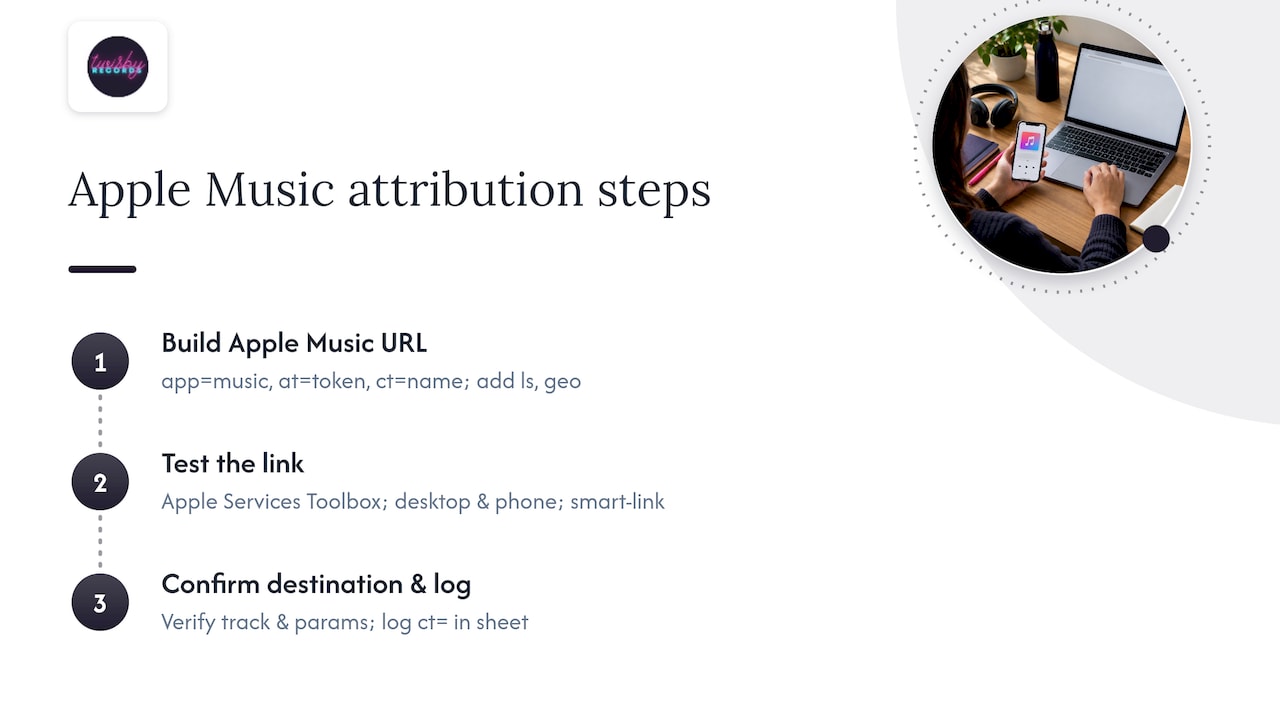
Log the finished link and its ct= value in your campaign tracking sheet before the ad goes live, not after, so you have a record to check against your Partner Program and Artist Analytics exports later.
Detailed Explanation of Campaign Parameter Use Cases With Examples
Each Apple linking parameter solves a specific measurement problem, and seeing them in context makes the rules easier to remember than reading the spec alone.
Say you’re running a Facebook ad campaign for a single called “Midnight Glow.” Your link would read something like music.apple.com/album/midnightglow?app=music&at=yourtoken&ct=fb_midnightglow_2026q1. The app=music parameter ensures the click opens Apple Music rather than a generic browser page. The at= token credits the click to your Partner Program account so the play shows up in your dashboard. The ct= value, fb_midnightglow_2026q1, tells you at a glance which channel, release, and quarter the click came from when you’re reviewing reports three months later.
If you’re running the same single in both the domestic market and a separate territory push, you’d add geo= with the relevant country code and route through geo.music.apple.com instead of the standard domain, keeping regional performance separate in partner reporting. If a partner integration requires the ls=1 flag for proper click counting, it gets appended last, after ct= and geo=.
The pattern holds regardless of channel: Instagram, email, or a QR code on a physical release all use the identical parameter structure, only the ct= value changes to reflect the source.
Overview of Apple Music Attribution’s Purpose and Benefits for Artists and Marketers
Apple Music attribution exists to answer one practical question: did this campaign move streams, without Apple exposing individual listener behavior to do so.
For artists, that means Apple Music for Artists gives a daily-refreshed view of plays, unique listeners, saves, and geographic trends tied to your own catalog, letting you see momentum without needing a marketing background to interpret it. For marketers, the Partner Program and its linking parameters provide a way to tag campaigns cleanly enough that performance by channel and release becomes readable in aggregate, even without a user-level path.
The benefit isn’t perfect visibility, it’s consistency. A well-tagged link and locked metadata mean that six months from now, a partner report and an Artist Analytics export will still tell the same story about which campaign drove which release’s growth. That consistency is what lets independent artists and small teams make real budget decisions instead of guessing based on vibes and total stream counts alone.
What I Think Comes Next for Attribution in Music
Privacy and measurement will keep pulling in opposite directions, and Apple isn’t going to resolve that tension in favor of marketers anytime soon. If your budget is limited, spend it in this order: metadata first, since a broken catalog entry undermines everything downstream, then clean links, then a measurement rig. Chasing precision before your foundation is solid wastes both time and ad spend.
— Kreg
Where Twisby Records Fits Into Your Release Prep
Clean attribution starts with a clean release, and that’s the work we handle directly: mastering with Apple Digital Masters certification, metadata review before delivery, and campaign setup through our advertising services, which include Standard Packages at $25 per month plus a 20% adspend fee, Premium Packages at 20% of adspend, and a one-time $99 onboarding fee.
If you want a second set of eyes on your next release before the campaign links go live, get in touch with Twisby Records and we’ll walk through what your release needs.
Where to Verify These Rules Yourself
- App Store ad attribution: AdAttributionKit’s official windows and formats.
- Linking guide: required parameters and Toolbox usage.
- Apple Music for Artists analytics: metric definitions and export options.
- Metadata standards: required fields and delivery tools.
- Metadata rules for independent artists: practical pre-release checklist.
Sources
- App Store ad attribution — Apple Developer
- Linking guide — Apple Services Performance Partners
- Understand your analytics — Apple Music for Artists
- Apple Music metadata standards — Apple Music Provider Support
FAQ
How much does Apple Music pay per 1,000 streams?
Apple pays the same headline royalty rate to labels within a given territory rather than a fixed public per-stream figure, and actual payouts depend on your distributor agreement and territory rights assignment. Check Apple’s payment documentation for the payment schedule and territory details that affect your specific payout.
Why is iTunes being discontinued?
Apple retired the standalone iTunes app a few years ago, splitting its functions into separate Music, TV, and Podcasts apps on desktop, while continuing to use iTunes-adjacent tools like iTunes Producer for metadata delivery on the provider side. The consumer-facing iTunes Store experience moved into Apple Music, but the backend metadata standards and delivery process referenced in this guide remain active.
Is Apple Music copyright free?
No, every track on Apple Music is copyrighted material delivered by labels, distributors, or independent artists through Apple’s provider system, and using it requires proper licensing. Apple’s metadata standards require accurate rights and crediting information precisely because copyright enforcement depends on that data being correct.
Does Apple Music pay more royalties than Spotify?
Royalty comparisons between platforms depend on your distributor deal, territory, and subscription mix rather than a single universal rate that applies everywhere. Apple states it pays the same headline rate to all labels within a territory, but neither platform publishes a direct per-stream figure that makes a clean apples-to-apples comparison possible without distributor-specific context.
What causes Apple Music attribution links to stop working?
The most common causes are a missing app=music parameter, incorrect capitalization in the at= or ct= tokens, or a metadata mismatch between your distributor’s release and what’s live on Apple Music. Testing every link on an actual device with Apple Music installed before launch catches most of these issues before they affect a live campaign.









