
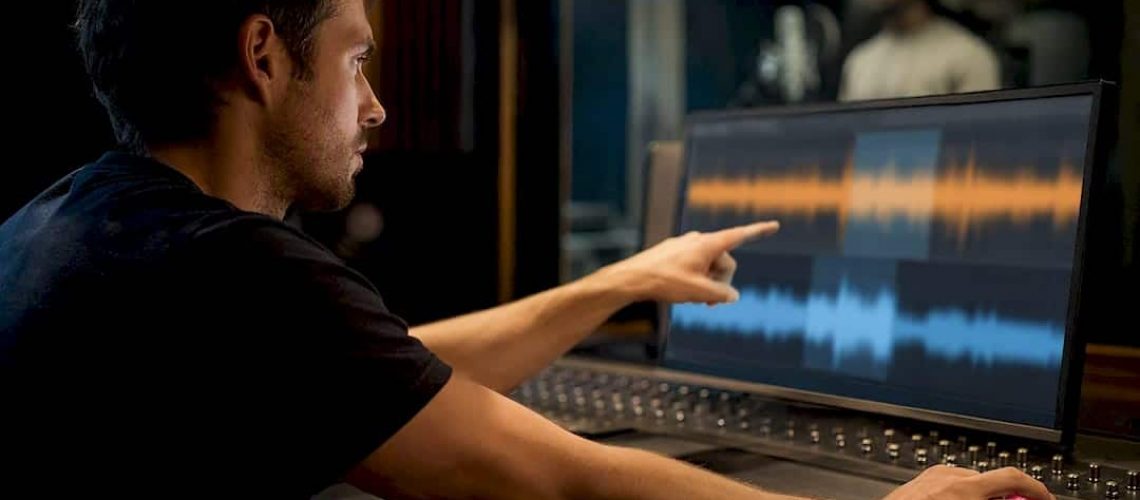

The fastest reliable way to get mix-ready vocals is to pick one guide track, fix the lead vocal’s timing first, then align every double and harmony to that fixed lead. Use manual warp markers or a gentle groove quantize on the lead, and lean on ARA-based auto-align tools for stacked backing vocals when the pile gets big. The goal is tight consonants and clean phrase entries, not a robotic, quantized-to-death performance.
TL;DR:
- Manual editing is best for solo vocals with emotional nuance but is time-consuming, while auto-align plugins excel with large harmony stacks on tight deadlines.
- Fix the lead vocal first by placing warp markers at consonant attacks and decays, then align doubles to that reference, using protected regions around vibrato and held notes.
- Over-quantizing vocals removes rhythmic imperfections that contribute to natural feel, so small timing adjustments after alignment are essential for preserving emotion.
- Auto-align tools like VocAlign work well for multiple harmony parts but require careful protected region use to avoid sounding overly processed.
- Always verify phase alignment, consonant placement, and natural tail quality by listening in context before final approval, especially in full mix environments.
Table of Contents
- What Method Should You Use to Time Align Vocals?
- How Do You Time Align a Lead Vocal and Its Doubles?
- DAW-Specific Recipes for Fast Vocal Alignment
- Should You Use Plugins to Auto-Align Vocals?
- Why Over-Quantizing Kills a Vocal’s Feel
- An Engineer’s Checklist for Vocal Alignment QA
- Get Professional Help Aligning and Mixing Your Vocals
- A Note on Judgment Calls in Vocal Alignment
- Sources
- FAQ
What Method Should You Use to Time Align Vocals?
You’ve got three real options, and picking the wrong one wastes hours. Each serves a different job.
- Manual editing (warp markers/pocketing): total control, best for lead vocals and emotionally important phrases, but slow. This is the method Sound On Sound recommends for leads because bulk quantize tends to flatten timbre and feel.
- DAW nudge + quantize/groove: faster than manual work, good for backing vocals and doubles that already track close to the lead. Cubase’s AudioWarp workflow treats groove quantize as a middle step between raw grid-snapping and full manual editing.
- Auto-align plugins (ARA/AI): fastest option for large harmony stacks, weakest on nuance unless you set protected regions and dial back strength.
Pick manual editing for a solo ballad vocal where every breath matters. Pick groove quantize for a pop chorus with three doubled takes that are already close. Pick an auto-align plugin when you’re staring down eight harmony parts and a deadline tomorrow.
How Do You Time Align a Lead Vocal and Its Doubles?
This is the sequence that holds up across genres, from folk to trap. Follow it in order, and don’t skip the prep step, because skipping it is where most alignment sessions go sideways.
- Prep the session first. Comp your best takes into one continuous lead track, back up the session before you touch a single marker, confirm your tempo map and grid resolution match the song, and zoom in far enough that you can see individual consonants, not just waveform blobs.
- Choose your guide track. The lead vocal is the anchor almost every time. Occasionally a stylistic double, like a rap ad-lib performance that defines the pocket, makes a better anchor, but that’s the exception, not the rule.
- Fix the lead first. Place warp markers at the attack and the decay of each word. WideBlueSound’s breakdown of DAW time-stretch algorithms makes clear why both markers matter: move only the attack and you’ll stretch or compress everything after it, creating a smeared or clipped tail you didn’t ask for. Nudge whole phrases when a singer rushed an entire line rather than chasing every syllable individually, and reserve tasteful groove quantize for sections that are close but need a nudge toward the pocket.
- Align doubles and harmonies to the fixed lead. Capture the lead as your reference, match the double against it, and use protected regions around vibrato tails or held notes so the algorithm doesn’t chew through them. Dial tightness down from 100% on anything with natural rubato. Full-strength alignment on an emotional vocal usually sounds mechanical.
- Handle breaths and consonants separately. Hard consonants like “T” and “K” are the ones your ear catches first when doubles are even slightly off, so zoom in there specifically. Crossfade any edit point instead of hard-cutting it, or you’ll introduce a click that survives all the way to master.
- Verify before you move on. Sum the lead and double to mono and listen for phase cancellation. Bypass your alignment plugin and A/B against the corrected version. Solo the vocal bus, then immediately check it against the full mix, because timing errors that scream in isolation often vanish, and errors that sound fine solo sometimes reappear once the drums come in.
Pro Tip: Do your final timing check with the vocal bus grouped and playing in context, not soloed. A double that looks perfectly stacked on the waveform can still read as “off” once the kick and snare are competing for the same rhythmic space, an issue your eyes will never catch but your ears will.
For deeper background on why comping and take-matching come before any warp marker touches the timeline, iZotope’s guide to vocal editing walks through the full pocketing and consolidation process.
DAW-Specific Recipes for Fast Vocal Alignment
Every major DAW handles this differently, and knowing the shortcuts saves real time.
Pro Tools: Enable Elastic Audio on the vocal track and choose Polyphonic or the “X-Form” render mode for cleaner sustained notes. Place warp markers directly on transients, then use Tab-to-Transient with Grid snap disabled for fine nudges.
- Watch for: pitch smearing on long held vowels if you overuse real-time modes.
- Three-step check: enable Elastic Audio, mark transients, nudge with snap off.
Logic Pro: Use Flex Time in “Monophonic” mode for a single vocal line and switch to “Slicing” only for rhythmic, percussive vocal parts like ad-libs. Groove Track can quantize a double to the lead’s own groove instead of a rigid grid.
- Watch for: Flex Pitch and Flex Time fighting each other if you correct pitch before timing is locked.
- Three-step check: set Flex Time mode, drag flex markers to transients, apply Groove Track quantize.
Cubase: Run AudioWarp’s hitpoint detection, then apply groove quantize before reaching for Free Warp on stubborn phrases. Sound On Sound’s Cubase workflow treats Free Warp as a last resort for spots the algorithm can’t parse cleanly.
- Watch for: over-detected hitpoints on breathy vocals, which create false markers you’ll need to delete manually.
- Three-step check: detect hitpoints, groove quantize, spot-fix with Free Warp.
Ableton Live: Choose “Complex Pro” warp mode for full vocal phrases and “Beats” mode only on short, isolated syllables or ad-libs. Set transient markers manually if auto-detection misses soft consonants.
- Watch for: artifacts on sustained notes when Beats mode is applied to a full sung line.
- Three-step check: set warp mode, confirm transient markers, stretch by dragging warp markers to the guide.
Should You Use Plugins to Auto-Align Vocals?
Auto-align tools earn their place once you’re dealing with more than two or three harmony parts. VocAlign from Synchro Arts established the category: capture a guide and a dub, and the plugin maps the dub’s timing onto the guide automatically, syllable by syllable. That’s a massive time saver on a chorus with six-part harmony stacked in thirds.
- VocAlign (Synchro Arts): the reference tool for ARA-based capture-and-align workflows, strongest on doubled vocals and harmonies.
- MTrackAlign (MeldaProduction): built for batch aligning multiple backing tracks at once, useful when you’re facing a wall of stacked takes rather than one or two doubles.
- SoundID Voice AI (Sonarworks): an AI-driven approach that detects rushed phrases, delayed entries, and timing drift automatically, aiming to preserve natural character rather than snapping everything to grid.
The ARA capture workflow that VocAlign Ultra documents specifically calls out protected areas as the difference between a natural-sounding stack and one that sounds processed.
Reach for manual editing instead when the lead vocal itself needs work, when pitch and timbre shifts are extreme, or when a slightly “off” entrance is actually a creative choice you want to keep.
Why Over-Quantizing Kills a Vocal’s Feel
Quantizing every syllable to the grid is the single fastest way to make a vocal sound like it was never sung by a person. Sound On Sound’s engineers caution against bulk-processing lead vocals for exactly this reason: timbre and emotional nuance live in the tiny rhythmic imperfections you’re erasing.
Mark both the attack and the decay of every word you move, never just the attack, or you’ll stretch the following syllable without meaning to. Fix timing before pitch in most workflows. Correcting timing first clarifies which pitch problems are actually real, rather than chasing a note that was only “flat” because it landed in the wrong rhythmic spot. Once alignment is locked, nudge a handful of syllables back off the grid by a few milliseconds. That small reintroduction of human variation is often what separates a tight vocal from a dead one.
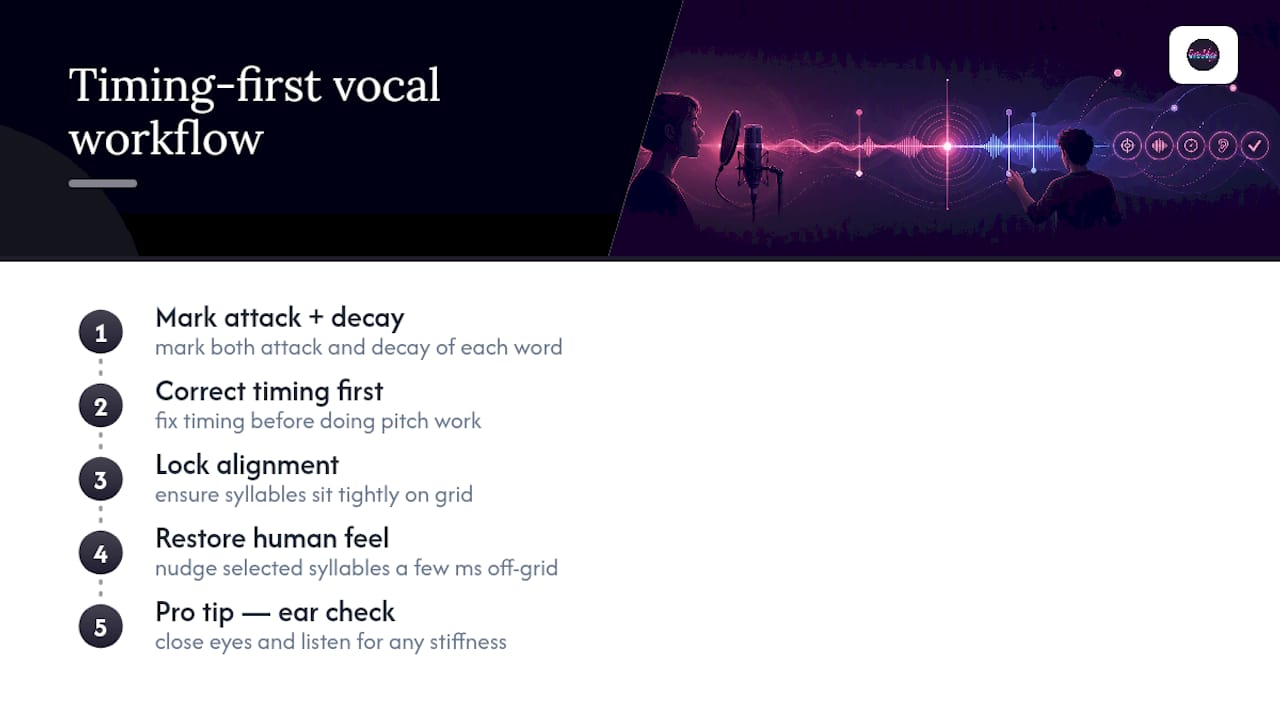
Pro Tip: After you finish aligning, close your eyes and listen without watching the waveform. What looks perfectly stacked on screen can still sound stiff, and your ear will catch that long before your eye does.
An Engineer’s Checklist for Vocal Alignment QA
Run these five checks before you call a vocal session finished:
- Mono/phase check. Sum the lead and doubles to mono and listen for thin or hollow spots where phase cancellation is eating frequencies.
- Consonant alignment. Solo the hard consonants specifically, since that’s where a slightly-off double becomes obvious.
- Tail integrity. Confirm sustained notes and vibrato weren’t smeared by an overzealous warp stretch.
- Grouped bypass test. A/B the vocal bus with alignment processing bypassed, in full mix context, not solo.
- Fresh-ear pass. Step away and come back with rested ears before final approval.
After decades behind the console, the balance that matters most is speed versus musicality. Chase perfect alignment too hard and you’ll flatten the performance that made the take worth keeping in the first place. For more on capturing clean takes before you ever open a warp tool, see how to layer vocals and vocal pocketing techniques.
Get Professional Help Aligning and Mixing Your Vocals
If you’d rather spend your time writing and performing than nudging warp markers at midnight, Twisbyrecords handles the whole vocal production chain remotely, so a rough set of takes becomes a mix-ready vocal bus without you touching a single plugin.

That includes timing correction and alignment across leads, doubles, and harmony stacks, plus full mixing and mastering with certification once the vocal is locked. You send stems, Twisbyrecords handles comping, alignment, tuning, and blending doubles into a cohesive stack, and you get back tracks ready to sit in a finished mix, with a turnaround built around independent artists’ release schedules rather than a big studio’s queue. If your vocals are recorded and you want them aligned, blended, and mix-ready without the trial-and-error, check out Twisby Records’ advertising and production services and get a quote on your next release.
A Note on Judgment Calls in Vocal Alignment
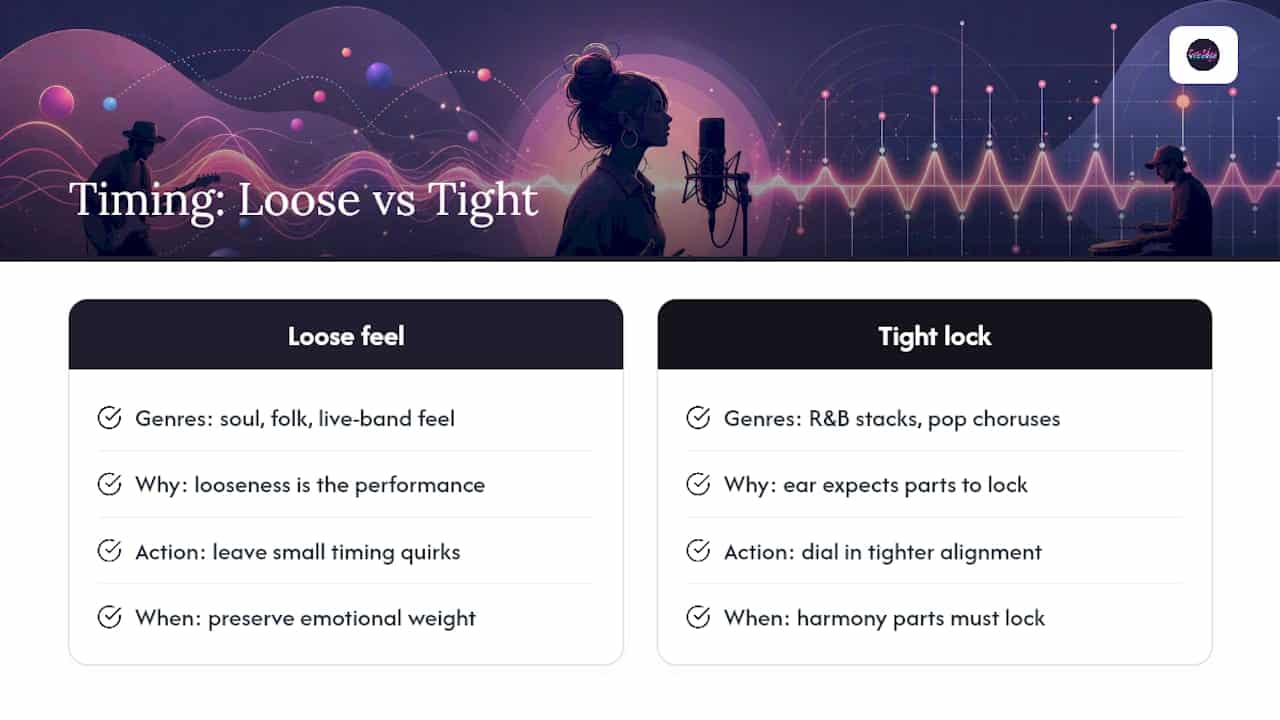
The grid is a tool, not a rulebook. Some genres, particularly soul, folk, and anything with a live-band feel, actually benefit from leaving small timing quirks untouched, because that looseness is the performance. R&B stacks and pop choruses usually want tighter alignment, since the ear expects harmony parts to lock.
Talk to the artist before you start dialing in tightness settings. A singer who intentionally drags a phrase for emotional weight doesn’t want that “fixed.” Ask what they were going for before you decide what counts as an error.
— Kreg
Sources
- VocAlign Pro & Standard – Vocal Alignment Plugins | Synchro Arts
- Cubase: Vocal Timing Correction — Sound On Sound
- Vocal Editing 101: Your Guide to High Quality Vocals — iZotope
- Can SoundID Voice AI detect and correct vocal timing issues automatically? — Sonarworks blog
FAQ
What Is the Best Vocal Alignment Plugin?
There’s no single best option. VocAlign is the standard for capture-and-align doubles and harmonies, MTrackAlign handles batch-aligning large backing stacks efficiently, and SoundID Voice AI leans on AI detection to catch timing drift while aiming to preserve natural character.
Is Harmonizing a Vocal Higher or Lower Than the Lead?
Harmony can sit above or below the lead melody, depending on the interval chosen, and most arrangements use a mix of both across a song. Timing alignment matters regardless of pitch direction, since a harmony that’s rhythmically off will clash even when the notes are correct.
How Do I Adjust EQ Settings for Vocals After Alignment?
EQ decisions depend on the specific voice and mix, but alignment issues themselves can masquerade as tonal problems, since phase cancellation from misaligned doubles often reads as a “thin” or “hollow” sound before you ever touch an EQ knob. Fix timing first, then reassess whether an EQ move is still needed.
What Is Vocal Align?
Vocal alignment, or time alignment, is the process of adjusting the rhythmic placement of a vocal take so it matches a guide track, typically the lead vocal, which keeps doubles and harmonies hitting consonants and syllables together instead of creating a smeared “flam” effect.









